Kendaks R&D guide

Developing a Big Data Solution with Azure Databricks (Lakehouse)

Category: Data & Analytics

Scenario: An e-commerce team needs scalable ETL and ML feature pipelines. Example: 'Kendaks Commerce' processes clickstream and order events for near‑real‑time recommendations.

Architecture diagram

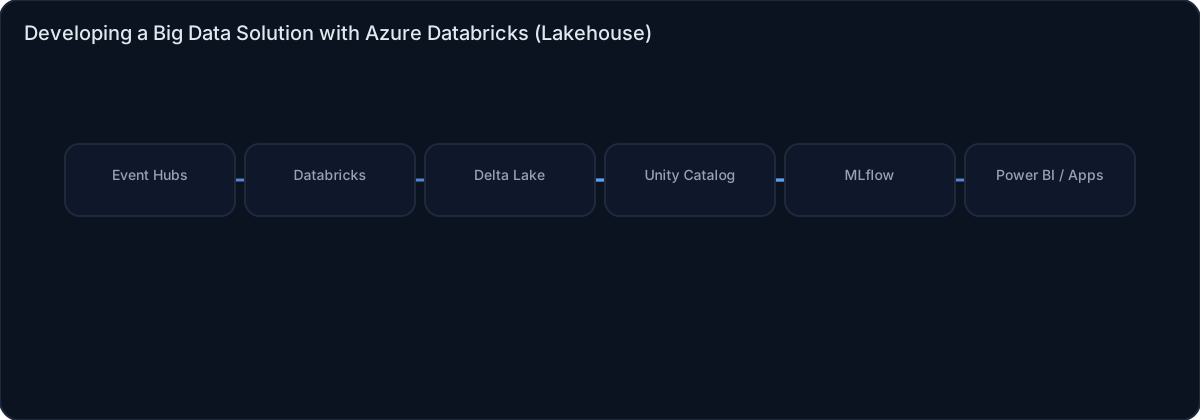
High-level view of the main components and data/control flows.

Architecture diagram

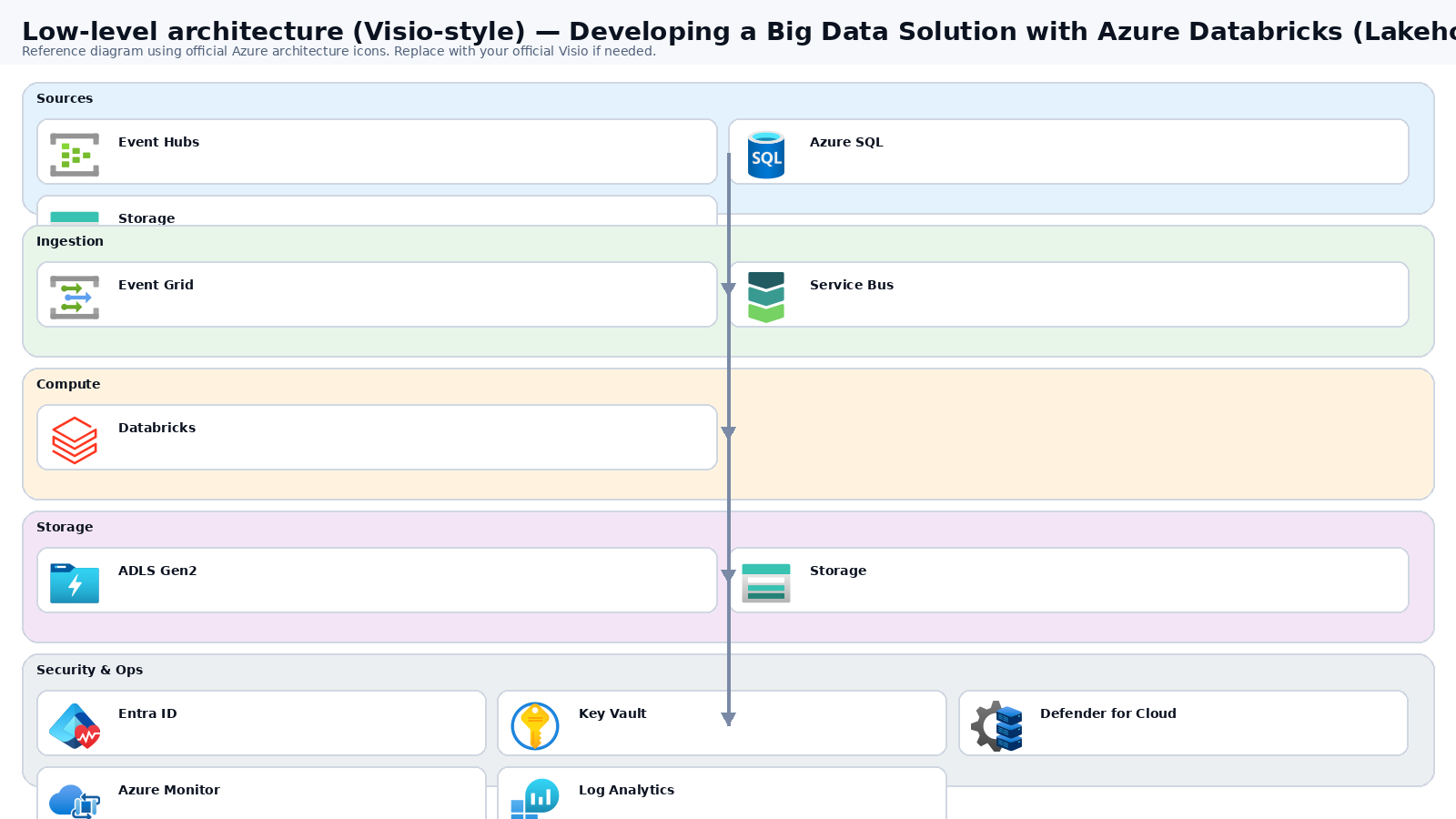
Low-level architecture diagram (Visio-style)

Implementation view (networking, security, ops). Click to open full size.

Low-level architecture diagram

Low-level architecture details

Subscriptions & resource groups

  • Subscriptions: workloads-data-npr, workloads-data-prd.
  • RGs (per env/region): rg-dbx-*-core (workspace), rg-dbx-*-data (ADLS/KV/PE), rg-dbx-*-mon (monitoring). Databricks creates a managed RG automatically.

Network (hub-spoke, forced egress)

  • Primary VNet: vnet-dbx-prd-eus 10.20.0.0/16; Secondary: vnet-dbx-prd-cus 10.21.0.0/16.
  • Subnets: snet-dbx-private (10.20.1.0/24), optional snet-dbx-public (10.20.2.0/24), snet-pe (10.20.3.0/24).
  • UDR on Databricks subnets: 0.0.0.0/0 → Hub Azure Firewall (egress allowlist + logging).

Private endpoints + DNS

  • Private Endpoints (in snet-pe): ADLS Gen2 dfs + blob, Key Vault vault (plus SQL/Cosmos/Event Hubs if used).
  • Private DNS zones: privatelink.dfs.core.windows.net, privatelink.blob.core.windows.net, privatelink.vaultcore.azure.net; link to spoke and (optionally) hub VNets.

Data plane (ADLS Gen2)

  • Storage: HNS-enabled account (e.g., stlkh-prd-eus-001).
  • Containers: bronze, silver, gold, checkpoint, logs.

Governance (Unity Catalog-first)

  • Metastore per environment; catalogs like cat_bronze/cat_silver/cat_gold.
  • External locations map to ADLS paths; grant to Entra groups (engineers/analysts) and job identity.
  • Cluster policies enforce allowed node types, autoscale limits, init scripts, and logging.

CI/CD (IaC + workspace objects)

  • IaC (Bicep/Terraform): VNet/subnets/UDR/NSG, private endpoints + DNS, ADLS, Key Vault, Databricks workspace.
  • Workspace deploy: Databricks Repos + job definitions as code; promote DEV→TST→PRD with approvals.
  • Prefer secretless auth from CI using federated/OIDC where supported; runtime secrets via Key Vault-backed scopes.

Monitoring & cost controls

  • Cluster/job logs to ADLS logs/; central alerts on job failure, streaming lag, and DBU spikes.
  • Budgets + alerts per subscription; cluster policy to prevent oversized instances.

DR/HA (multi-region)

  • Replicate ADLS using GZRS/RA-GZRS where required; pre-provision secondary workspace and networking.
  • Failover runbook: switch schedules to secondary, validate checkpoints, and resume pipelines.

Mermaid (copy/paste)

flowchart TB
  subgraph Hub[Hub VNet]
    AFW[Azure Firewall]
    DNS[Private DNS / Resolver]
  end
  subgraph Spoke[vnet-dbx-prd-eus 10.20.0.0/16]
    DBXSNET[snet-dbx-private]
    PESNET[snet-pe]
    DBX[Databricks Workspace]
    PEADLS[PE: ADLS dfs/blob]
    PEKV[PE: Key Vault]
  end
  ADLS[(ADLS Gen2)]
  KV[(Key Vault)]
  DBX -->|UDR 0/0| AFW
  DBX --> PEADLS --> ADLS
  DBX --> PEKV --> KV
  DNS --- Spoke

Step-by-step implementation

Step 1/6
Plan

Decide landing zone and governance model
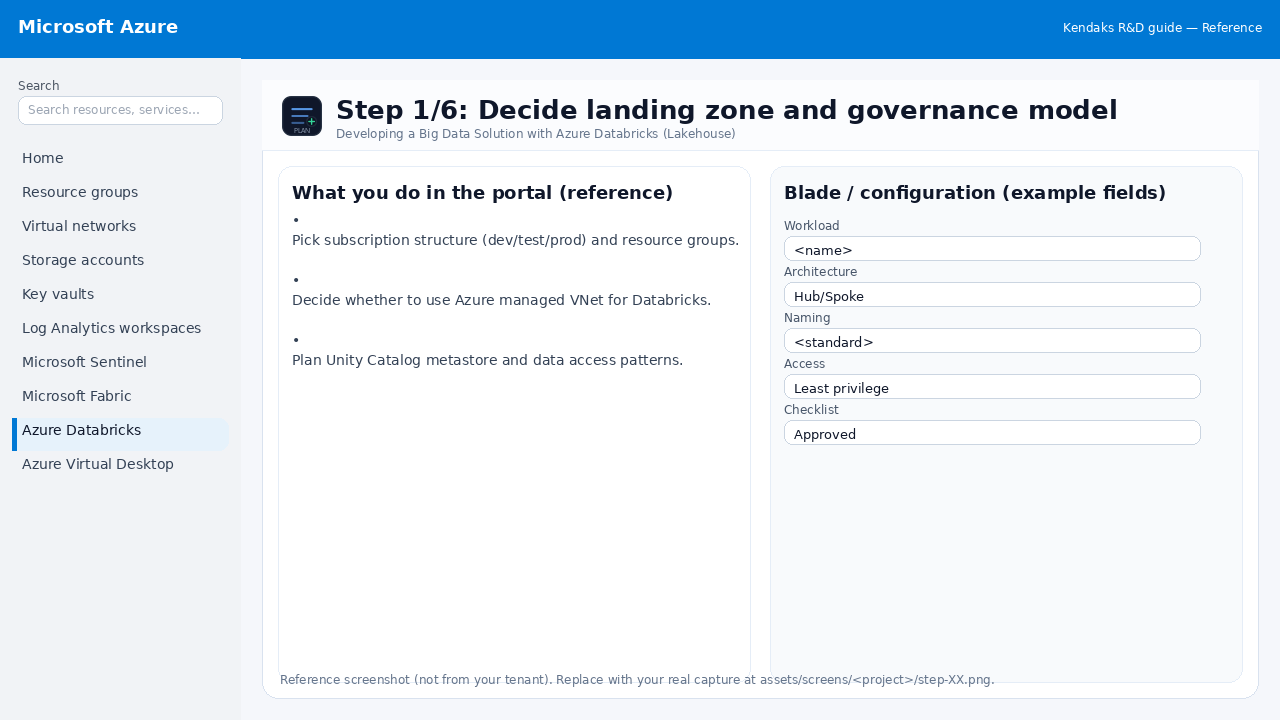
Reference screenshot for Developing a Big Data Solution with Azure Databricks (Lakehouse) step 1
Reference portal screenshot (click to zoom). Replace with your tenant capture if needed.
  • Pick subscription structure (dev/test/prod) and resource groups.
  • Decide whether to use Azure managed VNet for Databricks.
  • Plan Unity Catalog metastore and data access patterns.
Validation checklist
  • Stakeholders have signed off the scope, SLAs, and data/security requirements.
  • You have documented naming standards, environments, and ownership (RACI).
Zoomed screenshot
Step 2/6
Network

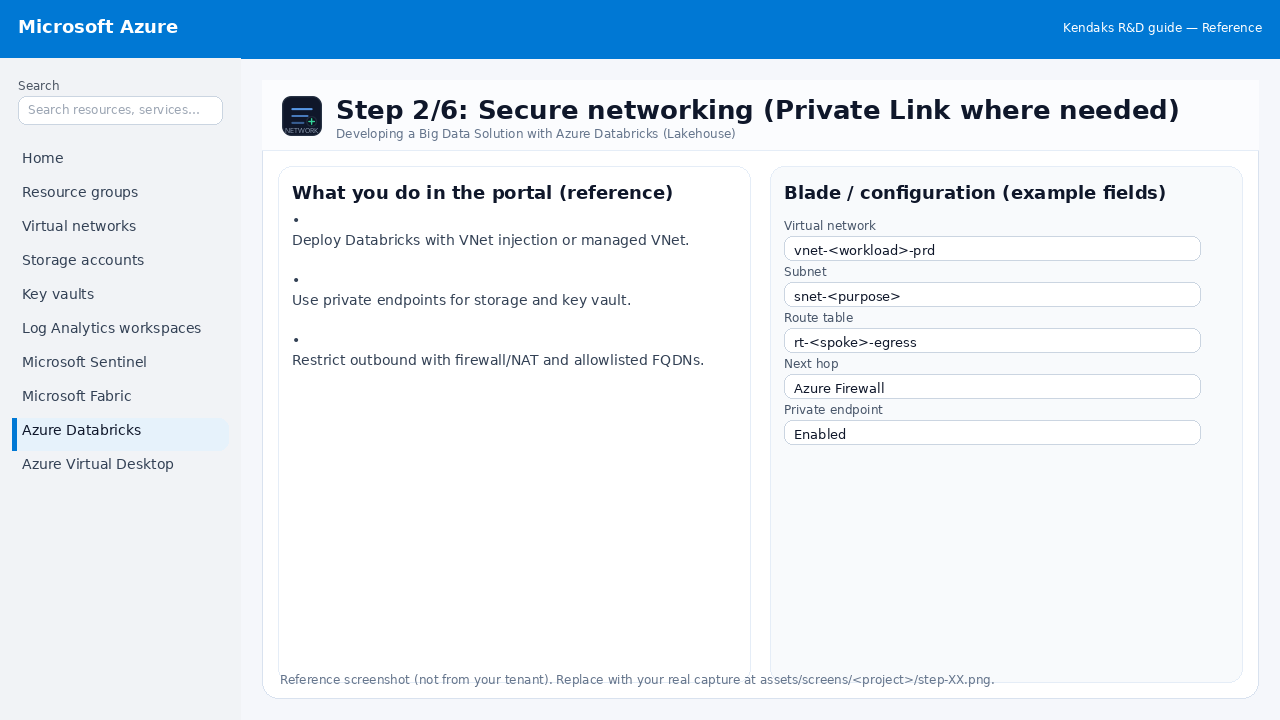
Secure networking (Private Link where needed)

Reference screenshot for Developing a Big Data Solution with Azure Databricks (Lakehouse) step 2
Reference portal screenshot (click to zoom). Replace with your tenant capture if needed.
  • Deploy Databricks with VNet injection or managed VNet.
  • Use private endpoints for storage and key vault.
  • Restrict outbound with firewall/NAT and allowlisted FQDNs.
Validation checklist
  • The target VNet/subnets/peerings/UDRs/NSGs are deployed with no errors.
  • Connectivity test passes (e.g., Network Watcher connection troubleshoot / ping between subnets where allowed).
  • Egress is controlled (traffic observed in Firewall logs if applicable).
Zoomed screenshot
Step 3/6
Data

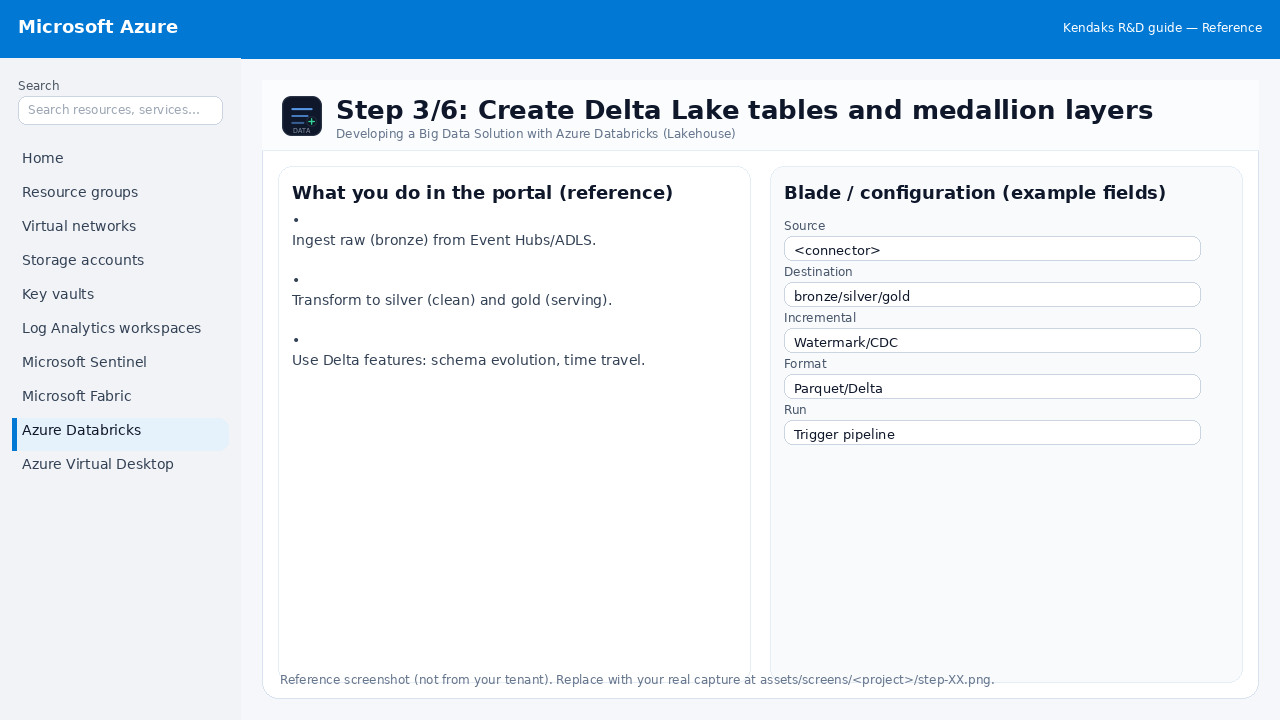
Create Delta Lake tables and medallion layers

Reference screenshot for Developing a Big Data Solution with Azure Databricks (Lakehouse) step 3
Reference portal screenshot (click to zoom). Replace with your tenant capture if needed.
  • Ingest raw (bronze) from Event Hubs/ADLS.
  • Transform to silver (clean) and gold (serving).
  • Use Delta features: schema evolution, time travel.
Example code / notes
-- Example Delta table
CREATE TABLE gold.orders
USING DELTA
AS SELECT * FROM silver.orders_clean;
Validation checklist
  • The storage/lakehouse/warehouse resources are created and accessible via least privilege.
  • A sample dataset lands successfully and can be queried/read end-to-end.
  • Retention, encryption, and backup settings match requirements.
Zoomed screenshot
Step 4/6
Govern

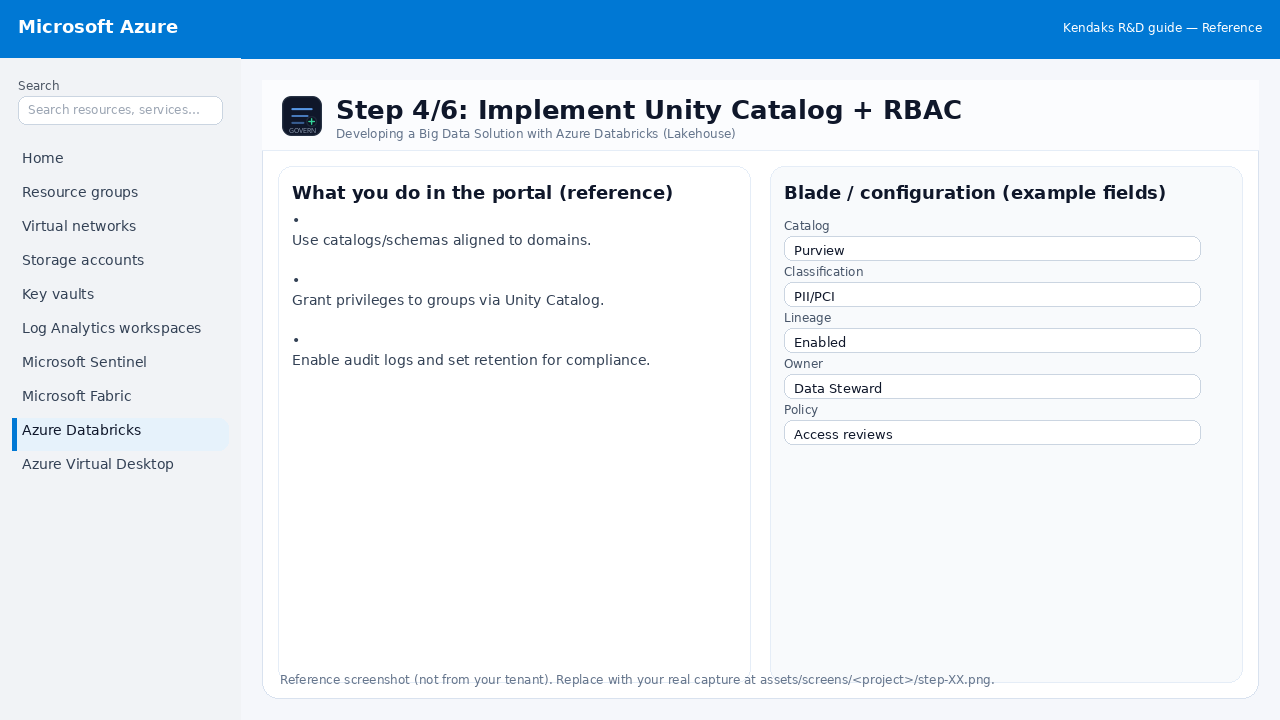
Implement Unity Catalog + RBAC

Reference screenshot for Developing a Big Data Solution with Azure Databricks (Lakehouse) step 4
Reference portal screenshot (click to zoom). Replace with your tenant capture if needed.
  • Use catalogs/schemas aligned to domains.
  • Grant privileges to groups via Unity Catalog.
  • Enable audit logs and set retention for compliance.
Validation checklist
  • RBAC/roles are assigned to Entra groups (no direct user assignments).
  • Policies/labels/lineage settings are enabled as required.
  • Audit logs are enabled and flowing to the central workspace/SIEM.
Zoomed screenshot
Step 5/6
CI/CD

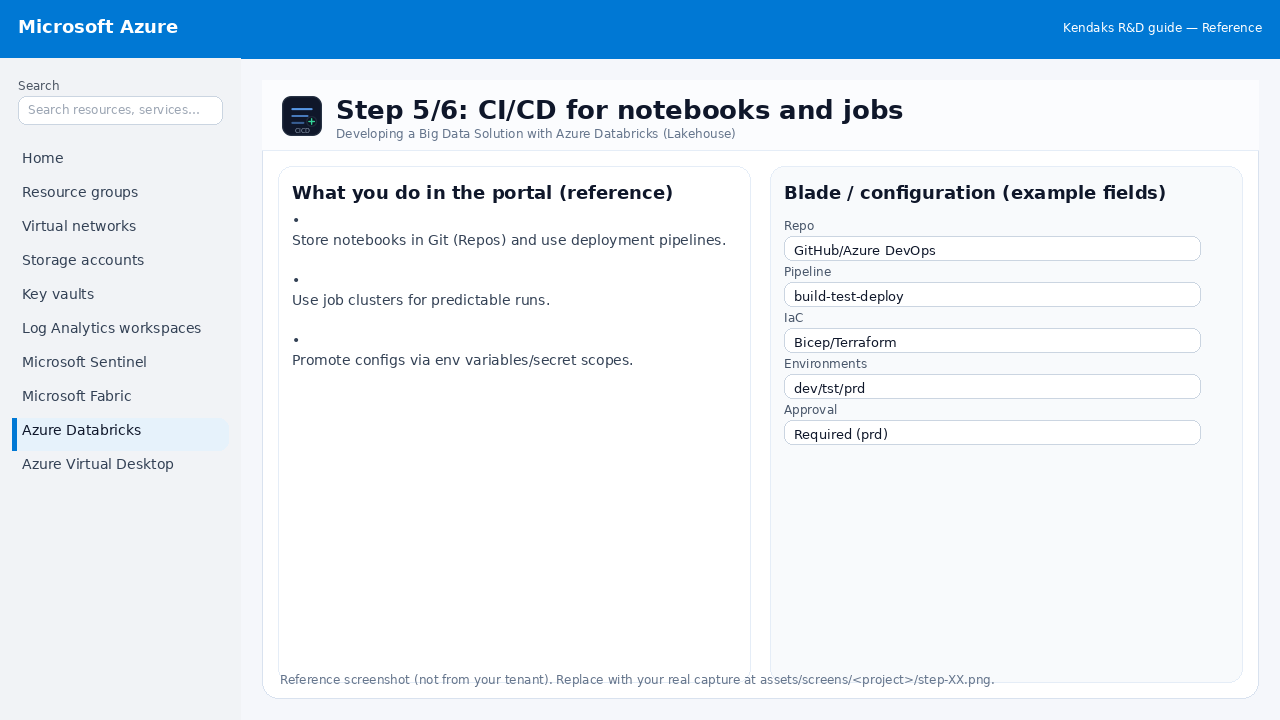
CI/CD for notebooks and jobs

Reference screenshot for Developing a Big Data Solution with Azure Databricks (Lakehouse) step 5
Reference portal screenshot (click to zoom). Replace with your tenant capture if needed.
  • Store notebooks in Git (Repos) and use deployment pipelines.
  • Use job clusters for predictable runs.
  • Promote configs via env variables/secret scopes.
Validation checklist
  • Pipeline runs succeed (build/test/package) and artifacts are versioned.
  • Deploy stages require approvals for production and have rollback strategy.
Zoomed screenshot
Step 6/6
Monitor

Observability and cost controls

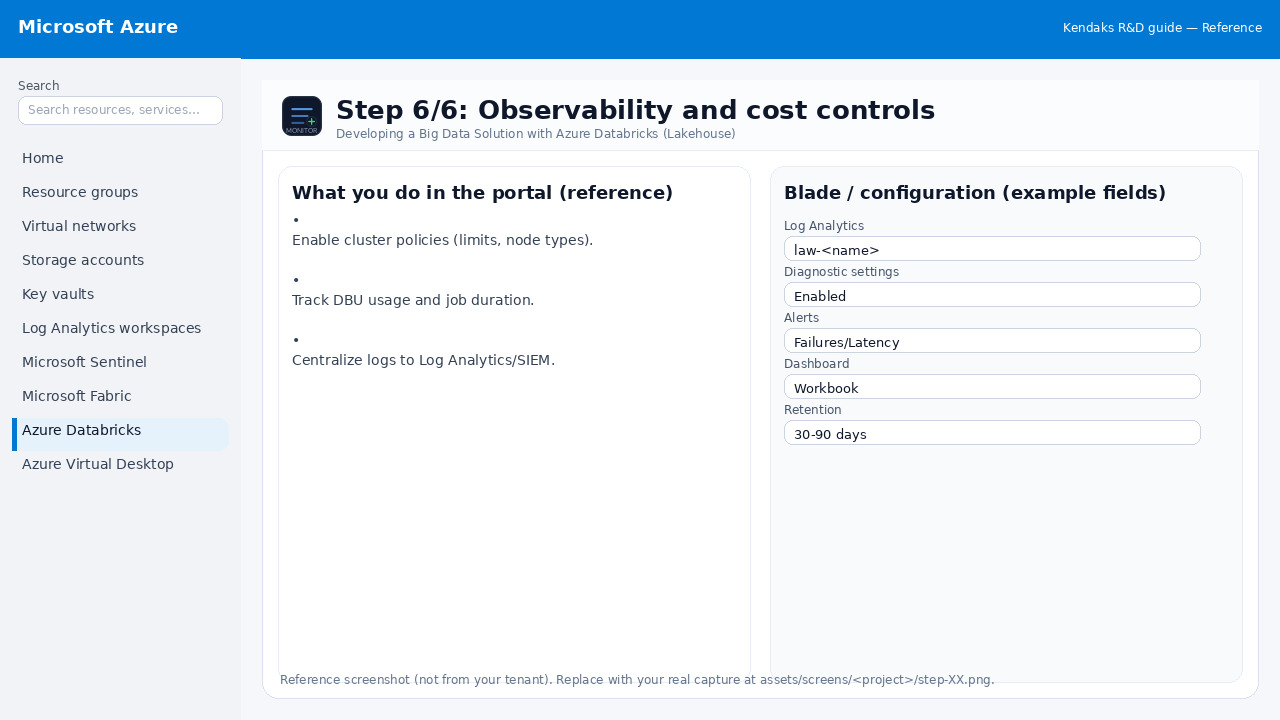
Reference screenshot for Developing a Big Data Solution with Azure Databricks (Lakehouse) step 6
Reference portal screenshot (click to zoom). Replace with your tenant capture if needed.
  • Enable cluster policies (limits, node types).
  • Track DBU usage and job duration.
  • Centralize logs to Log Analytics/SIEM.
Validation checklist
  • Logs and metrics are flowing (check Log Analytics / Monitor).
  • Alerts trigger correctly (test alert path to email/Teams/ITSM).
Zoomed screenshot

Video tutorials

References