Kendaks R&D guide

Azure Logic Apps for Workflow Automation

Category: Integration

Scenario: A service desk automates approvals and notifications across ITSM, email, Teams, and SharePoint. Example: 'Kendaks IT' auto-approves low-risk requests and escalates exceptions.

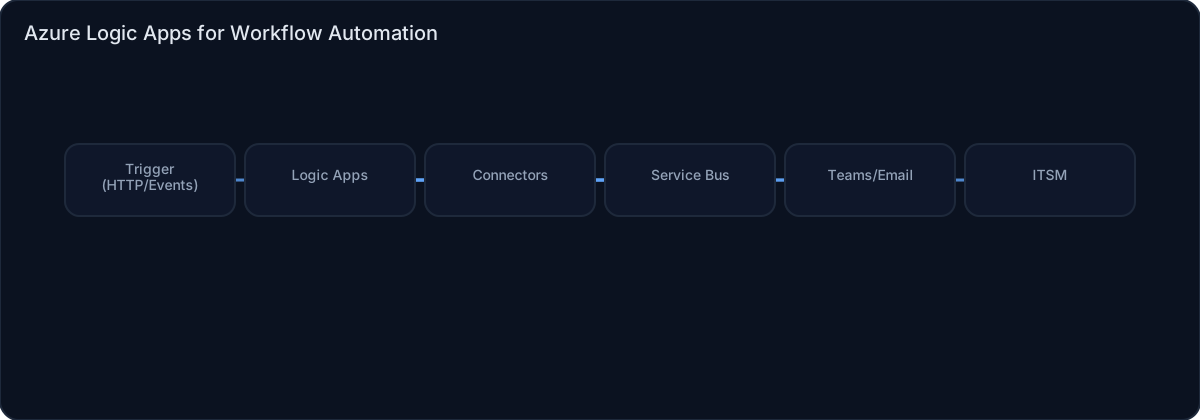
Architecture diagram

High-level view of the main components and data/control flows.

Architecture diagram

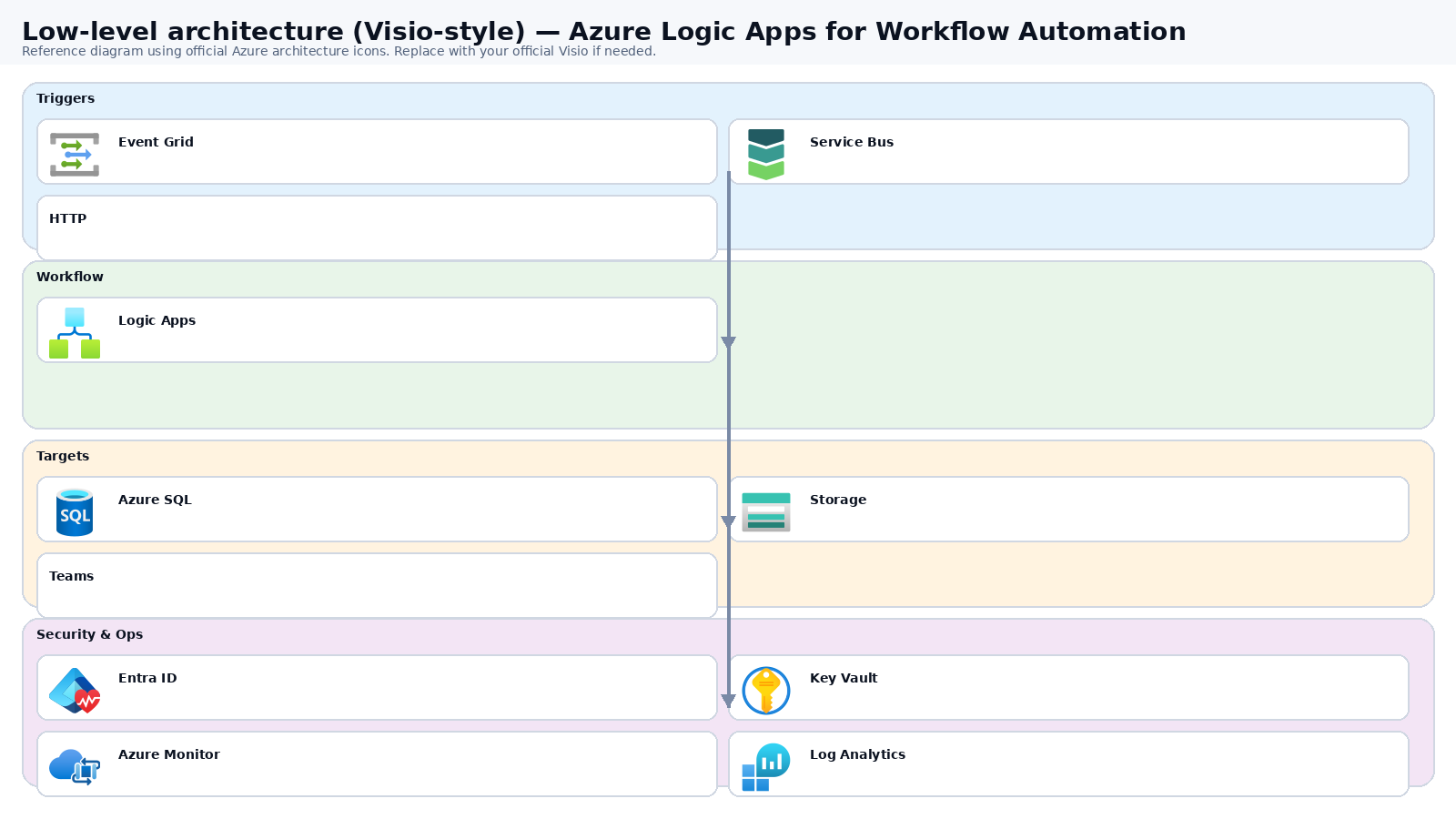
Low-level architecture diagram (Visio-style)

Implementation view (networking, security, ops). Click to open full size.

Low-level architecture diagram

Low-level architecture details

(No low-level text provided.)

Step-by-step implementation

Step 1/6
Plan

Choose consumption vs standard and connectors
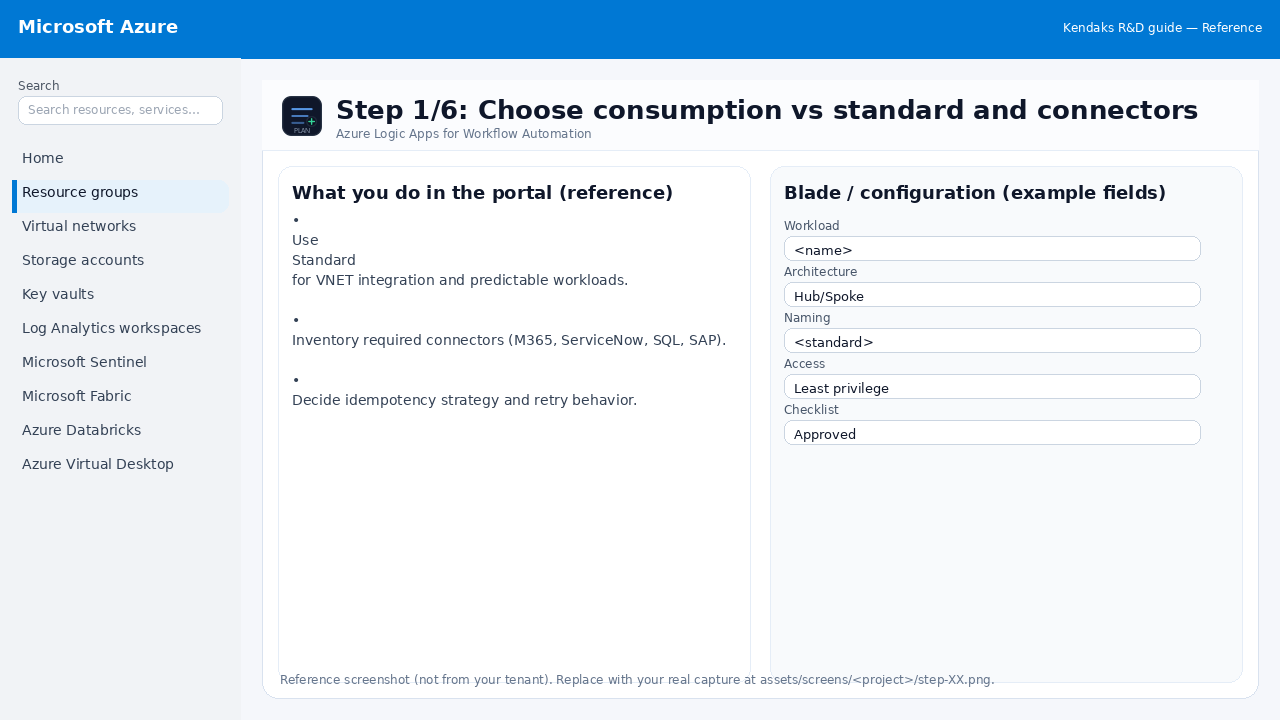
Reference screenshot for Azure Logic Apps for Workflow Automation step 1
Reference portal screenshot (click to zoom). Replace with your tenant capture if needed.
  • Use Standard for VNET integration and predictable workloads.
  • Inventory required connectors (M365, ServiceNow, SQL, SAP).
  • Decide idempotency strategy and retry behavior.
Validation checklist
  • Stakeholders have signed off the scope, SLAs, and data/security requirements.
  • You have documented naming standards, environments, and ownership (RACI).
Zoomed screenshot
Step 2/6
Integrate

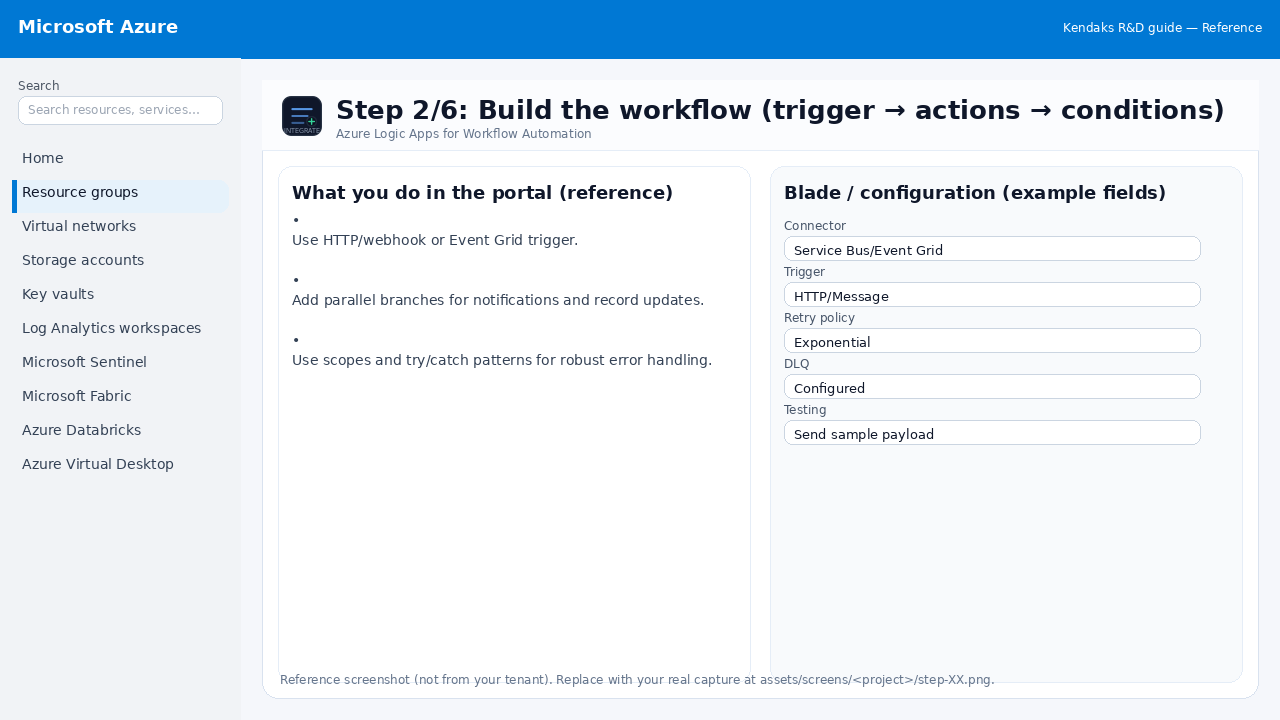
Build the workflow (trigger → actions → conditions)

Reference screenshot for Azure Logic Apps for Workflow Automation step 2
Reference portal screenshot (click to zoom). Replace with your tenant capture if needed.
  • Use HTTP/webhook or Event Grid trigger.
  • Add parallel branches for notifications and record updates.
  • Use scopes and try/catch patterns for robust error handling.
Example code / notes
// Pseudo-pattern: try/catch
Scope: Try
  - Do actions
Scope: Catch
  - Log + notify
Scope: Finally
  - Close ticket
Validation checklist
  • Connections/authentication succeed and test messages/records flow through.
  • Retries/DLQ/error handling are configured and validated with a forced failure.
Zoomed screenshot
Step 3/6
Secure

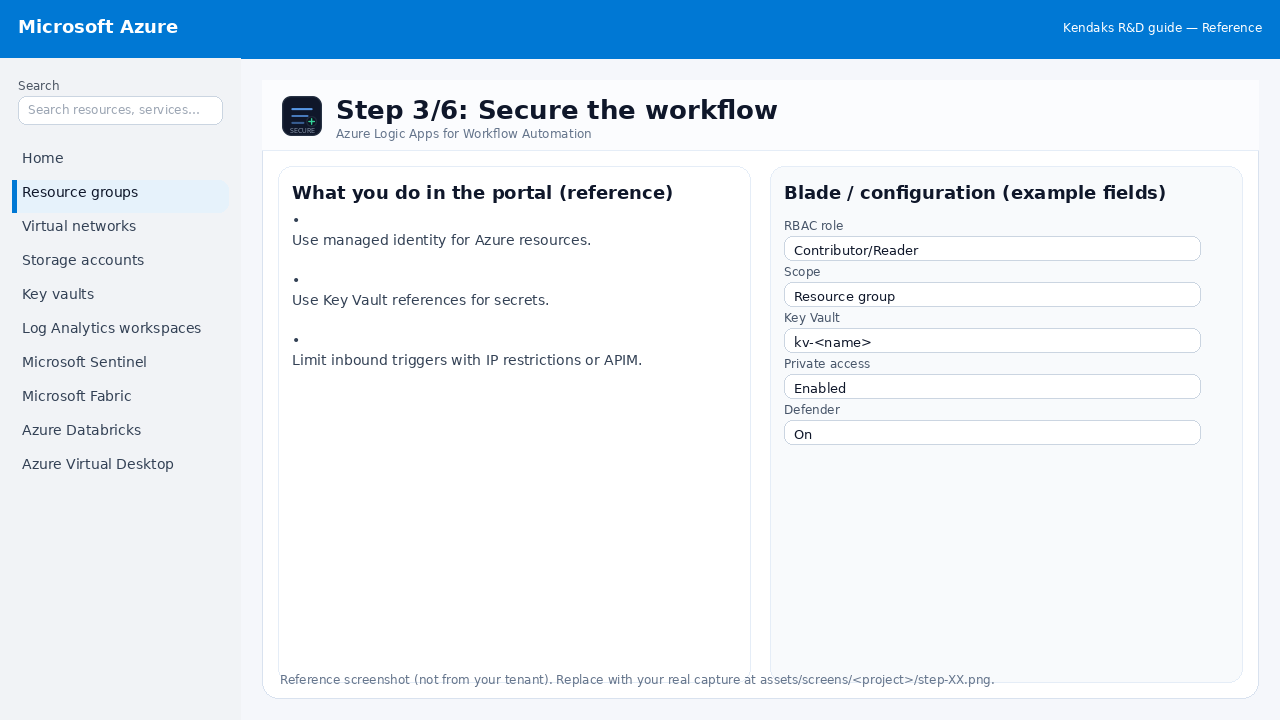
Secure the workflow

Reference screenshot for Azure Logic Apps for Workflow Automation step 3
Reference portal screenshot (click to zoom). Replace with your tenant capture if needed.
  • Use managed identity for Azure resources.
  • Use Key Vault references for secrets.
  • Limit inbound triggers with IP restrictions or APIM.
Validation checklist
  • Security baseline applied (Defender/Policy/WAF/Firewall rules as applicable).
  • No public endpoints unless explicitly approved; private endpoints verified where applicable.
  • Alerts are configured for high-risk events.
Zoomed screenshot
Step 4/6
Network

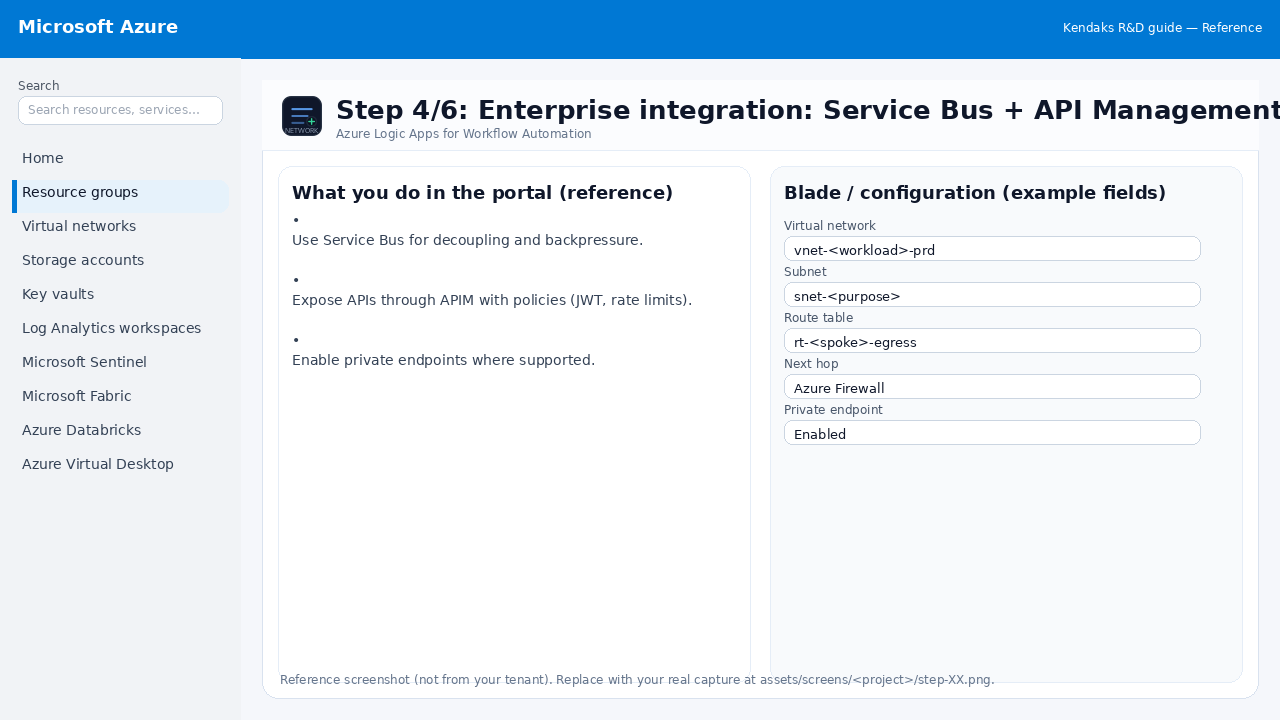
Enterprise integration: Service Bus + API Management

Reference screenshot for Azure Logic Apps for Workflow Automation step 4
Reference portal screenshot (click to zoom). Replace with your tenant capture if needed.
  • Use Service Bus for decoupling and backpressure.
  • Expose APIs through APIM with policies (JWT, rate limits).
  • Enable private endpoints where supported.
Validation checklist
  • The target VNet/subnets/peerings/UDRs/NSGs are deployed with no errors.
  • Connectivity test passes (e.g., Network Watcher connection troubleshoot / ping between subnets where allowed).
  • Egress is controlled (traffic observed in Firewall logs if applicable).
Zoomed screenshot
Step 5/6
Monitor

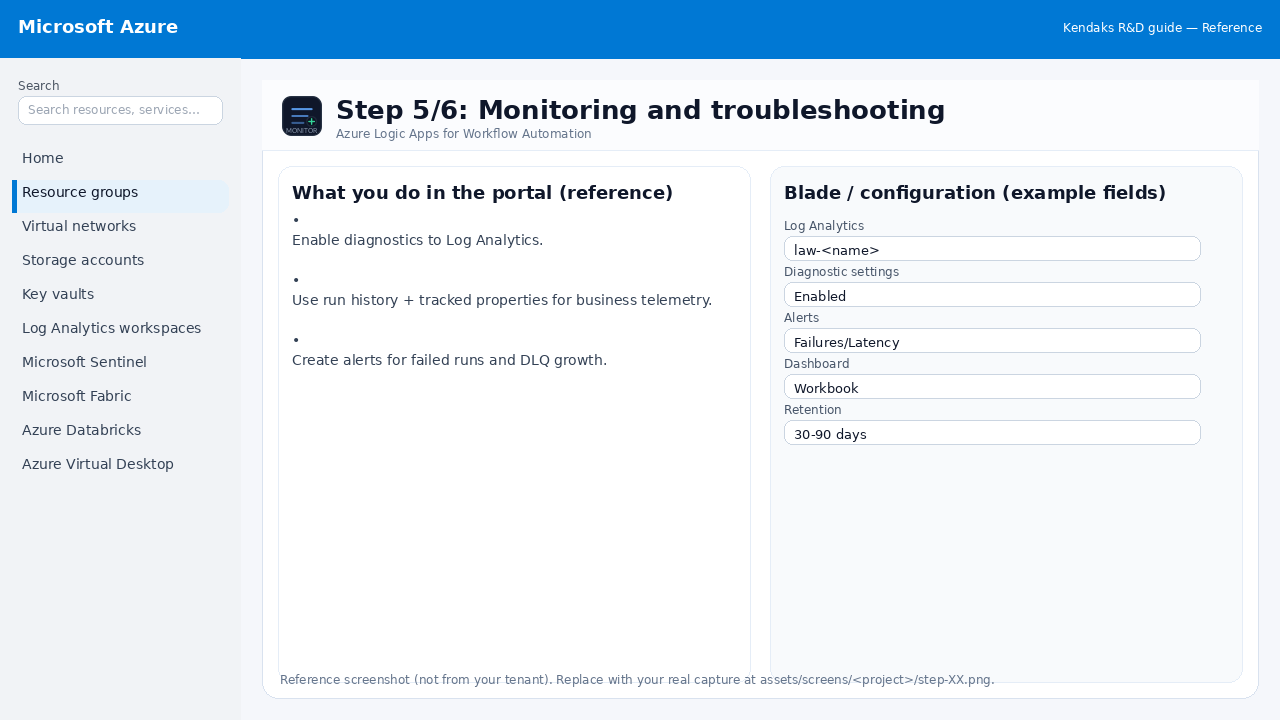
Monitoring and troubleshooting

Reference screenshot for Azure Logic Apps for Workflow Automation step 5
Reference portal screenshot (click to zoom). Replace with your tenant capture if needed.
  • Enable diagnostics to Log Analytics.
  • Use run history + tracked properties for business telemetry.
  • Create alerts for failed runs and DLQ growth.
Validation checklist
  • Logs and metrics are flowing (check Log Analytics / Monitor).
  • Alerts trigger correctly (test alert path to email/Teams/ITSM).
Zoomed screenshot
Step 6/6
CI/CD

Deploy via CI/CD

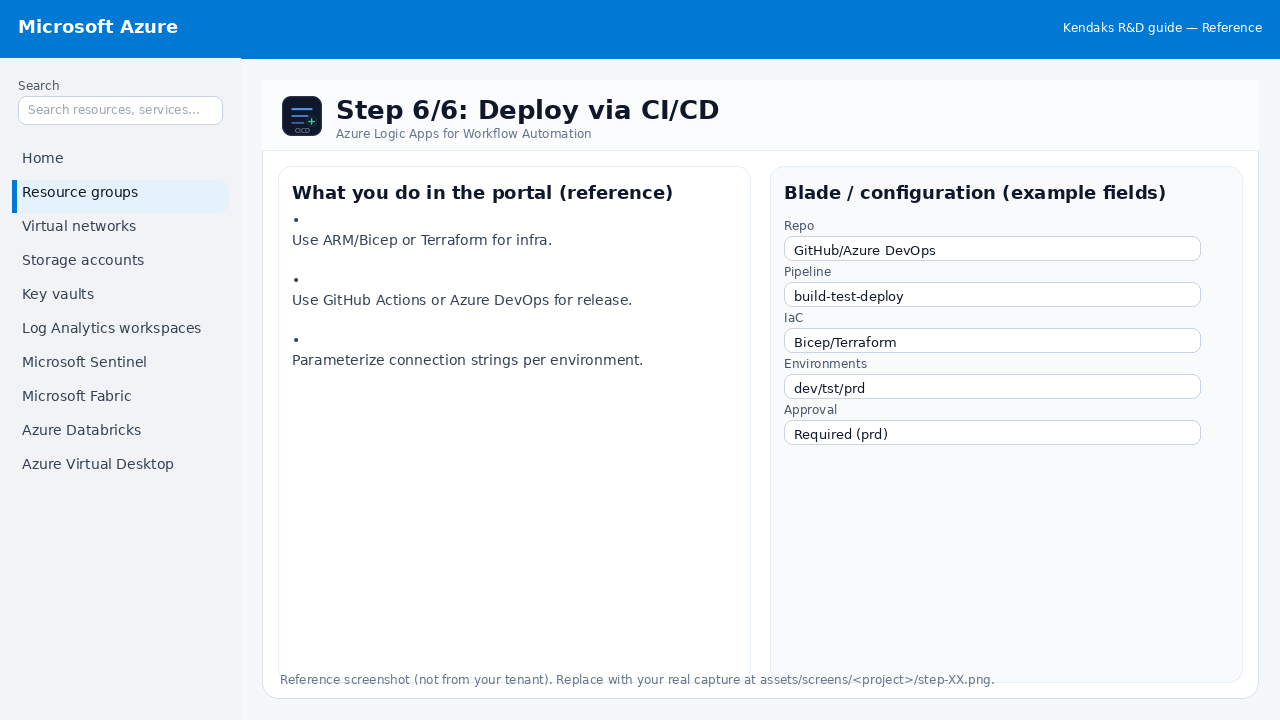
Reference screenshot for Azure Logic Apps for Workflow Automation step 6
Reference portal screenshot (click to zoom). Replace with your tenant capture if needed.
  • Use ARM/Bicep or Terraform for infra.
  • Use GitHub Actions or Azure DevOps for release.
  • Parameterize connection strings per environment.
Validation checklist
  • Pipeline runs succeed (build/test/package) and artifacts are versioned.
  • Deploy stages require approvals for production and have rollback strategy.
Zoomed screenshot

Video tutorials

References