Kendaks R&D guide

Azure Storage for File Management (Azure Files + Azure File Sync)

Category: Storage

Scenario: A hybrid office needs shared file drives with cloud backup. Example: 'Kendaks HQ' migrates on-prem file shares to Azure Files with on-prem caching.

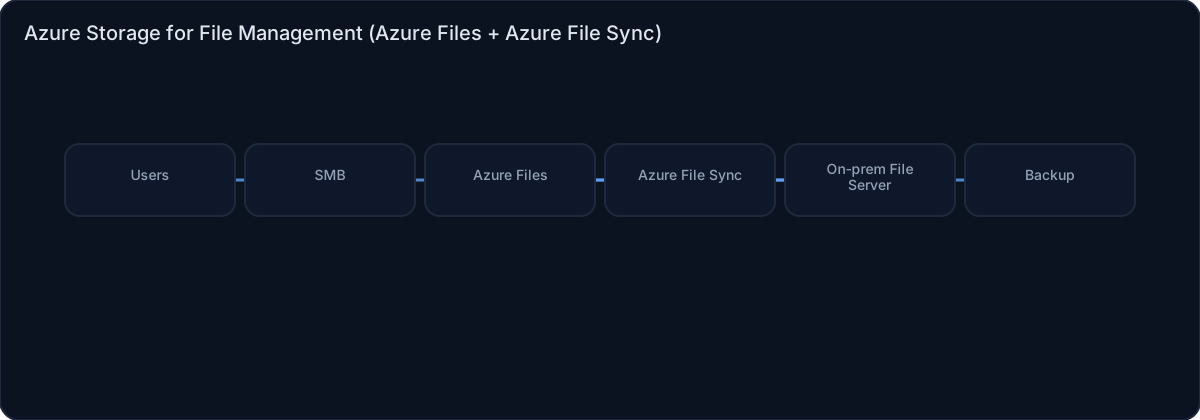
Architecture diagram

High-level view of the main components and data/control flows.

Architecture diagram

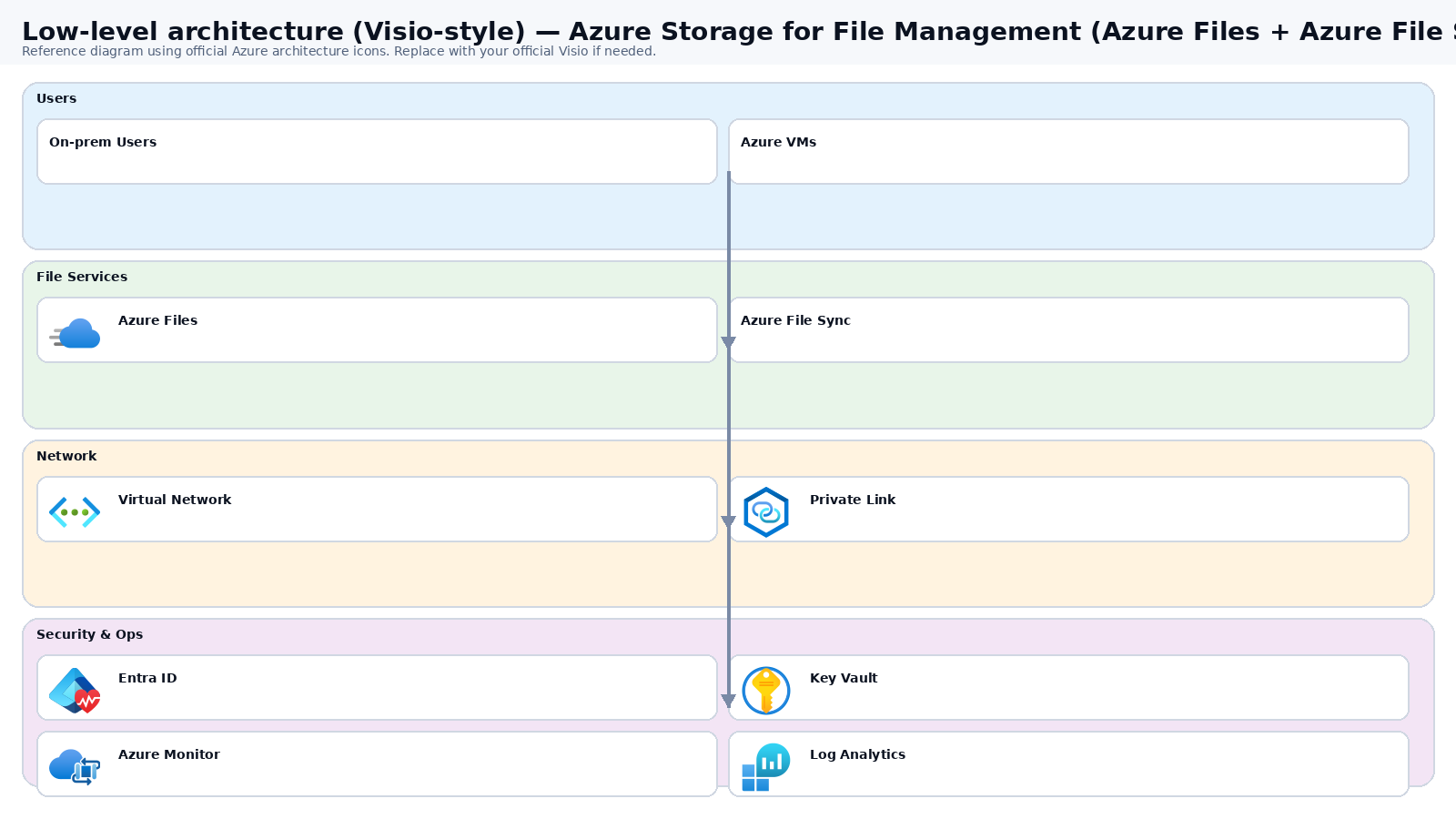
Low-level architecture diagram (Visio-style)

Implementation view (networking, security, ops). Click to open full size.

Low-level architecture diagram

Low-level architecture details

(No low-level text provided.)

Step-by-step implementation

Step 1/6
Plan

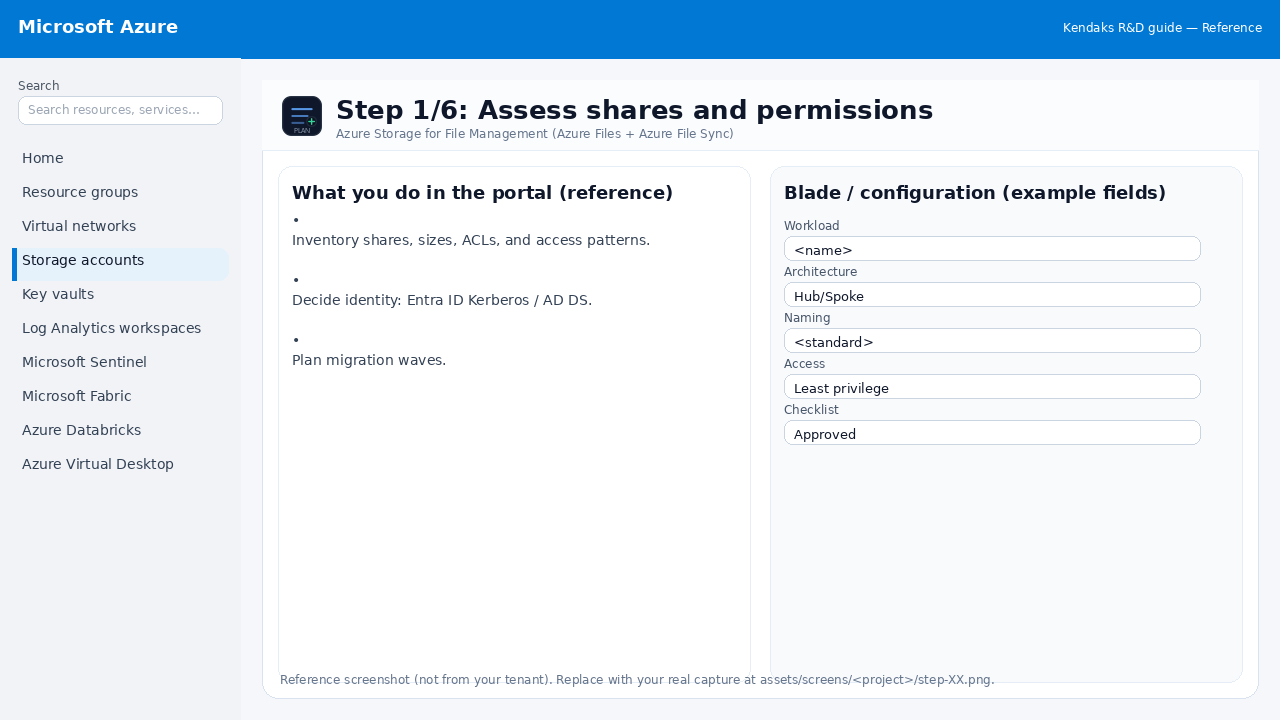
Assess shares and permissions

Reference screenshot for Azure Storage for File Management (Azure Files + Azure File Sync) step 1
Reference portal screenshot (click to zoom). Replace with your tenant capture if needed.
  • Inventory shares, sizes, ACLs, and access patterns.
  • Decide identity: Entra ID Kerberos / AD DS.
  • Plan migration waves.
Validation checklist
  • Stakeholders have signed off the scope, SLAs, and data/security requirements.
  • You have documented naming standards, environments, and ownership (RACI).
Zoomed screenshot
Step 2/6
Deploy

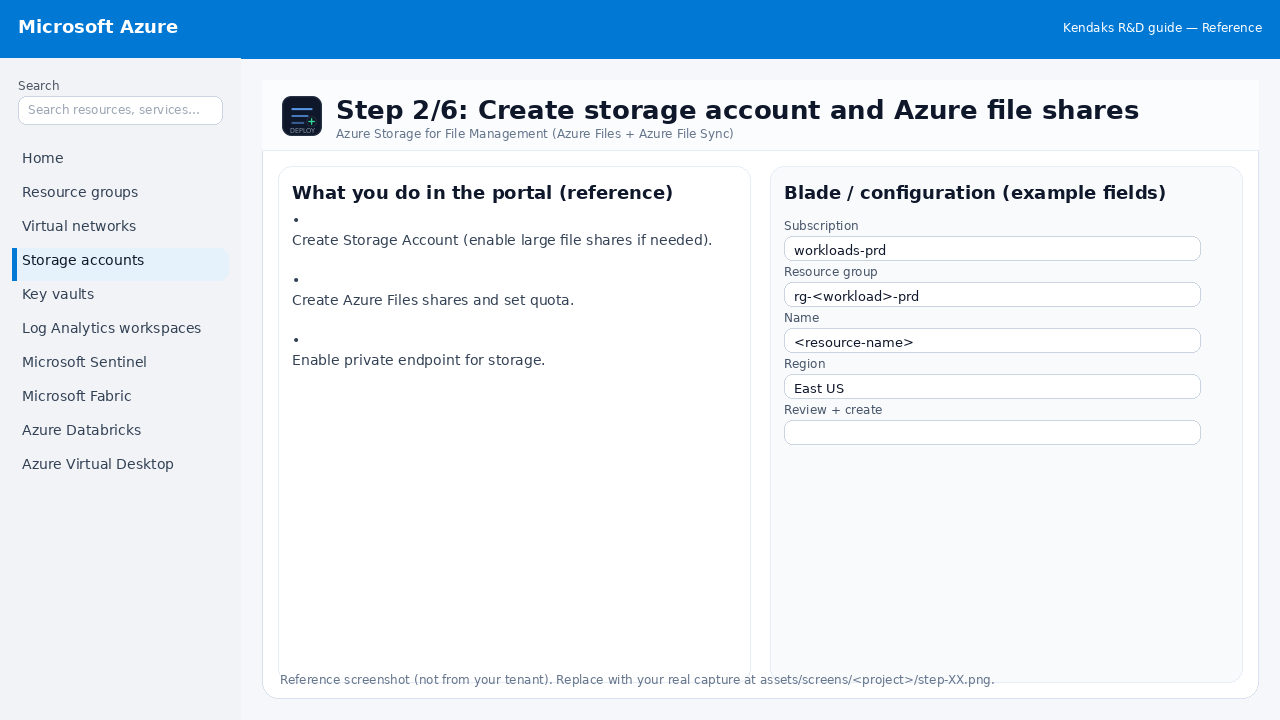
Create storage account and Azure file shares

Reference screenshot for Azure Storage for File Management (Azure Files + Azure File Sync) step 2
Reference portal screenshot (click to zoom). Replace with your tenant capture if needed.
  • Create Storage Account (enable large file shares if needed).
  • Create Azure Files shares and set quota.
  • Enable private endpoint for storage.
Example code / notes
az storage account create -g rg-storage -n stkendaksfiles --sku Standard_LRS --kind StorageV2
Validation checklist
  • Deployment completed; smoke tests passed; rollback plan confirmed.
Zoomed screenshot
Step 3/6
Identity

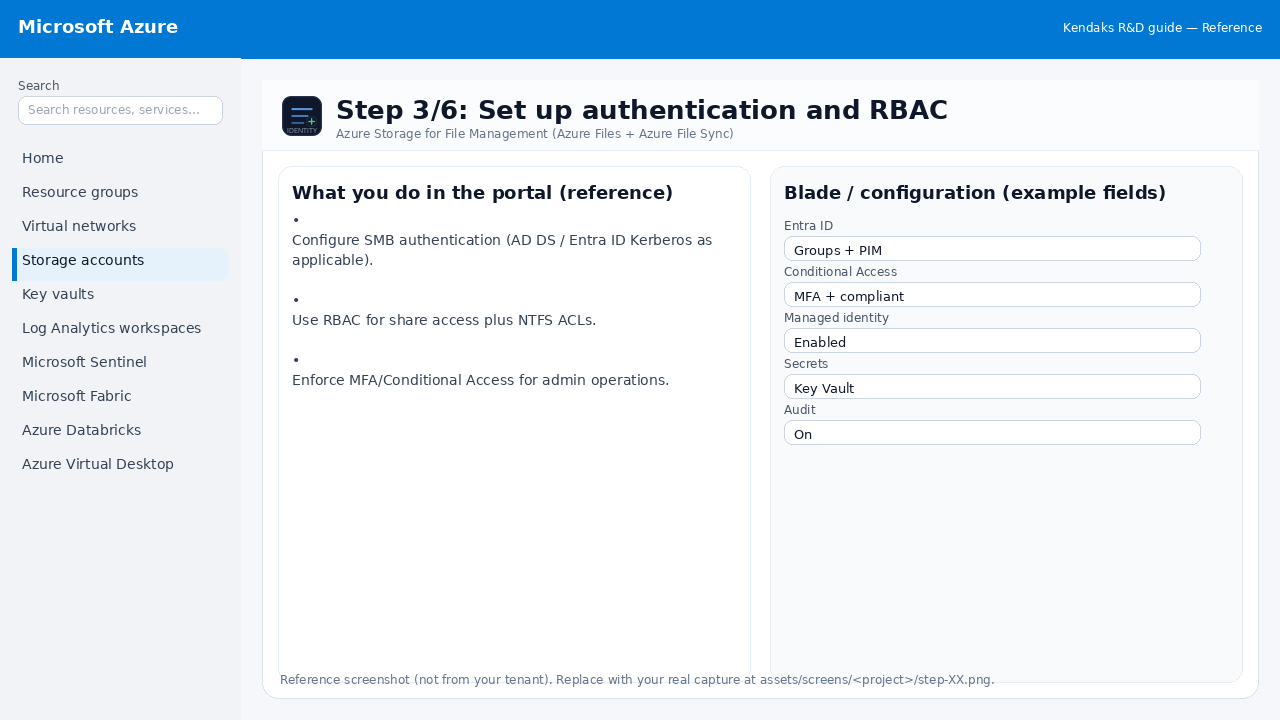
Set up authentication and RBAC

Reference screenshot for Azure Storage for File Management (Azure Files + Azure File Sync) step 3
Reference portal screenshot (click to zoom). Replace with your tenant capture if needed.
  • Configure SMB authentication (AD DS / Entra ID Kerberos as applicable).
  • Use RBAC for share access plus NTFS ACLs.
  • Enforce MFA/Conditional Access for admin operations.
Validation checklist
  • Entra groups/roles are configured; privileged roles protected via PIM.
  • Conditional Access/MFA policies are enforced for relevant access paths.
Zoomed screenshot
Step 4/6
Integrate

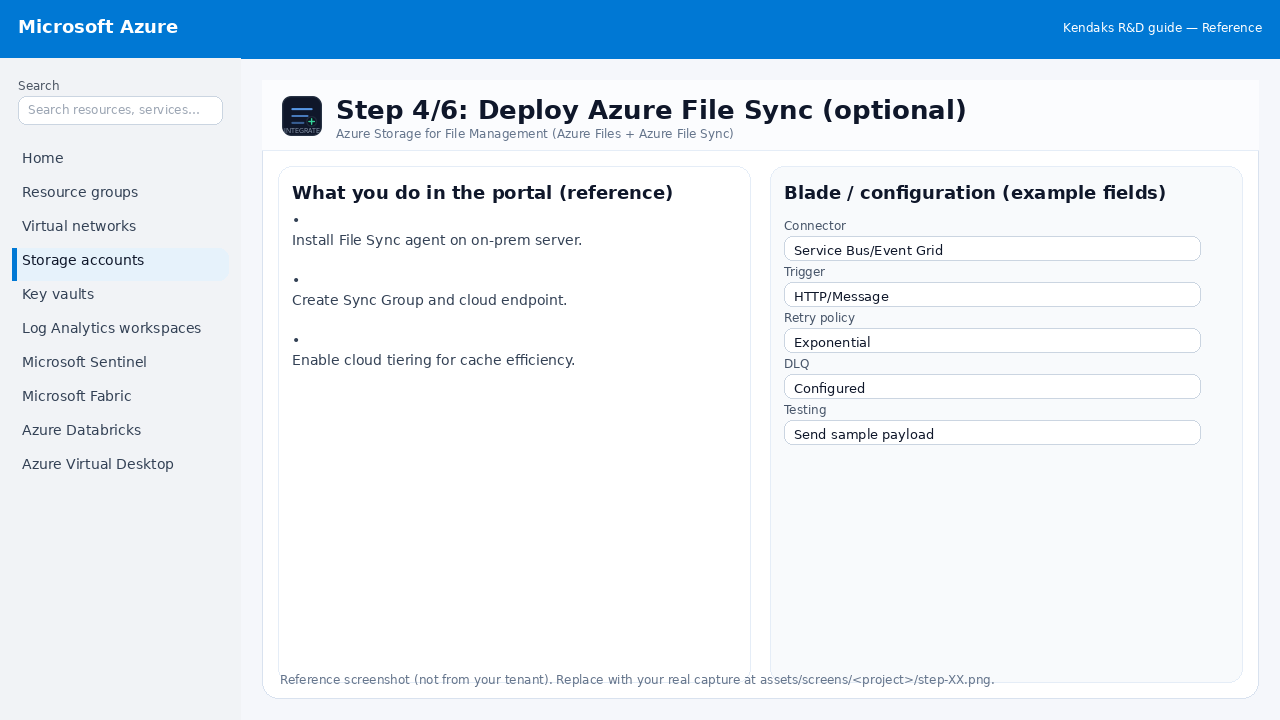
Deploy Azure File Sync (optional)

Reference screenshot for Azure Storage for File Management (Azure Files + Azure File Sync) step 4
Reference portal screenshot (click to zoom). Replace with your tenant capture if needed.
  • Install File Sync agent on on-prem server.
  • Create Sync Group and cloud endpoint.
  • Enable cloud tiering for cache efficiency.
Validation checklist
  • Connections/authentication succeed and test messages/records flow through.
  • Retries/DLQ/error handling are configured and validated with a forced failure.
Zoomed screenshot
Step 5/6
Secure

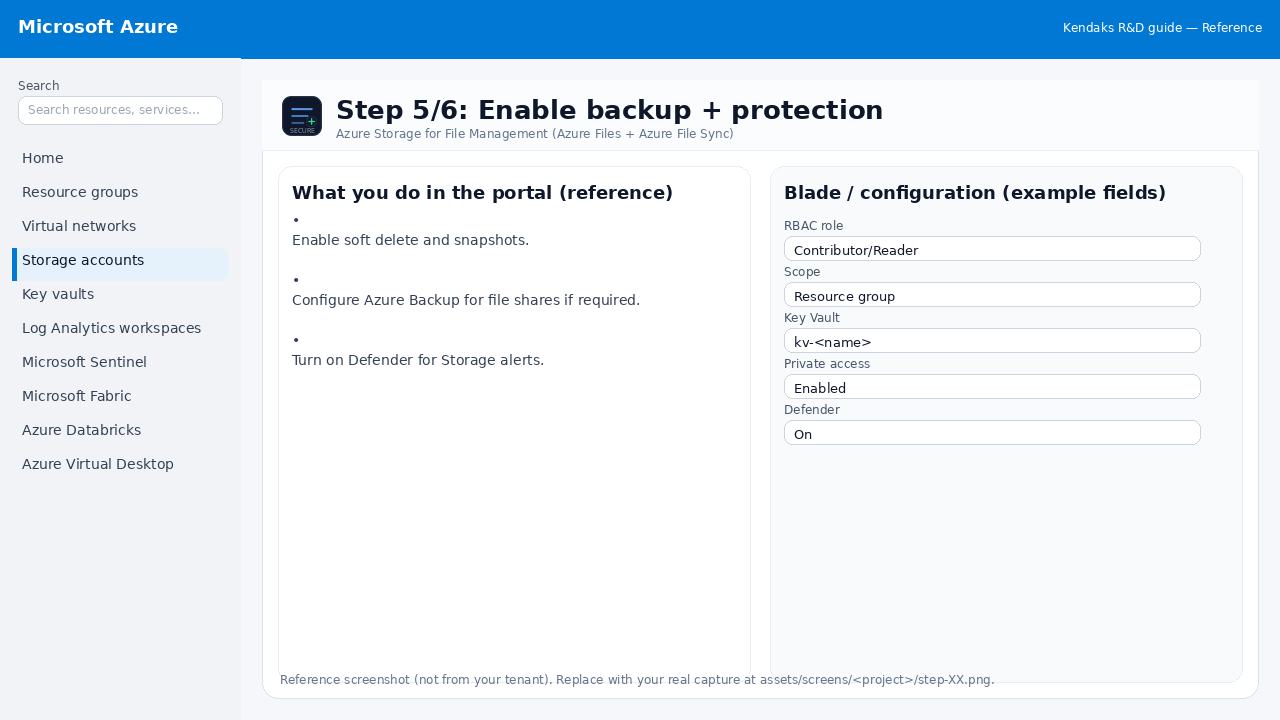
Enable backup + protection

Reference screenshot for Azure Storage for File Management (Azure Files + Azure File Sync) step 5
Reference portal screenshot (click to zoom). Replace with your tenant capture if needed.
  • Enable soft delete and snapshots.
  • Configure Azure Backup for file shares if required.
  • Turn on Defender for Storage alerts.
Validation checklist
  • Security baseline applied (Defender/Policy/WAF/Firewall rules as applicable).
  • No public endpoints unless explicitly approved; private endpoints verified where applicable.
  • Alerts are configured for high-risk events.
Zoomed screenshot
Step 6/6
Test

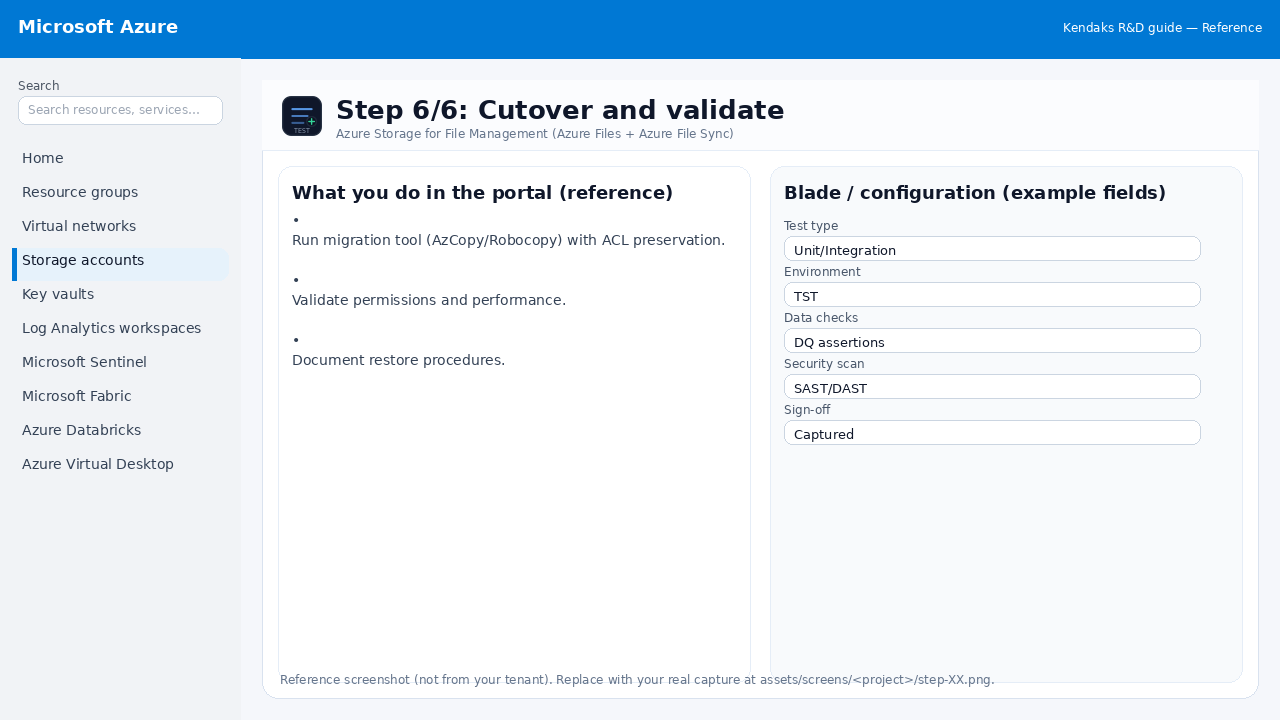
Cutover and validate

Reference screenshot for Azure Storage for File Management (Azure Files + Azure File Sync) step 6
Reference portal screenshot (click to zoom). Replace with your tenant capture if needed.
  • Run migration tool (AzCopy/Robocopy) with ACL preservation.
  • Validate permissions and performance.
  • Document restore procedures.
Validation checklist
  • UAT completed with representative users and scenarios.
  • Performance meets baseline; issues tracked and remediated.
Zoomed screenshot

Video tutorials

References