Kendaks R&D guide

Setting Up an Azure SQL Database (Security-first)

Category: Databases

Scenario: A line-of-business app needs a managed relational database with HA and security. Example: 'Kendaks Billing' runs on Azure SQL with private endpoints and auditing.

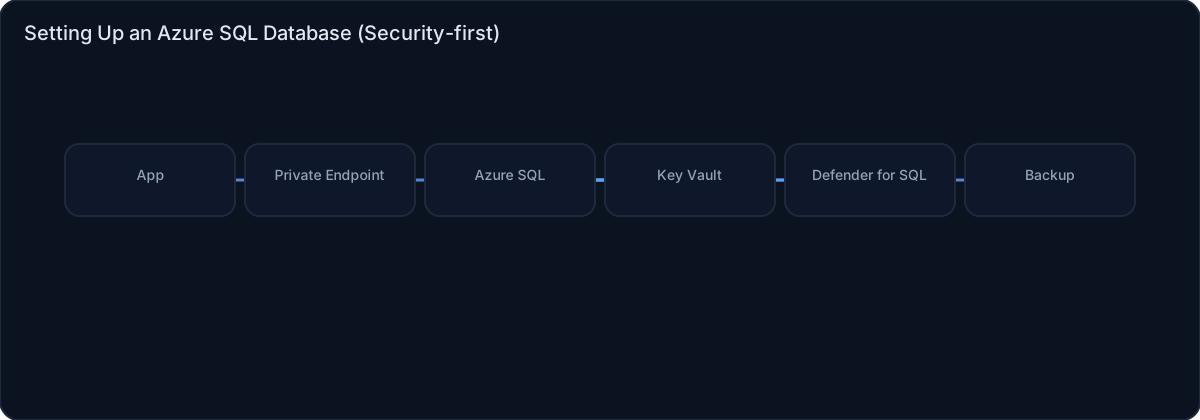
Architecture diagram

High-level view of the main components and data/control flows.

Architecture diagram

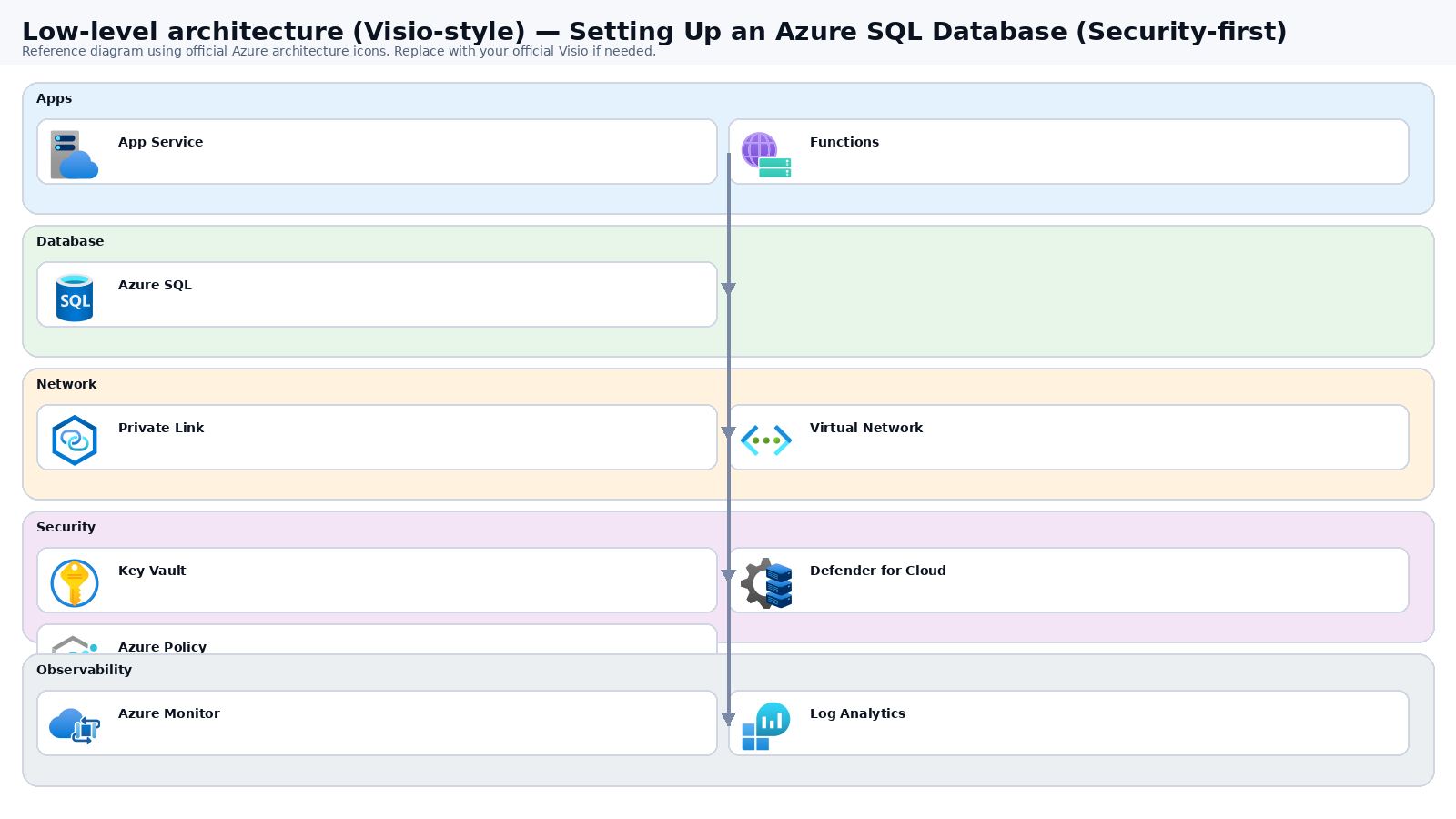
Low-level architecture diagram (Visio-style)

Implementation view (networking, security, ops). Click to open full size.

Low-level architecture diagram

Low-level architecture details

(No low-level text provided.)

Step-by-step implementation

Step 1/6
Plan

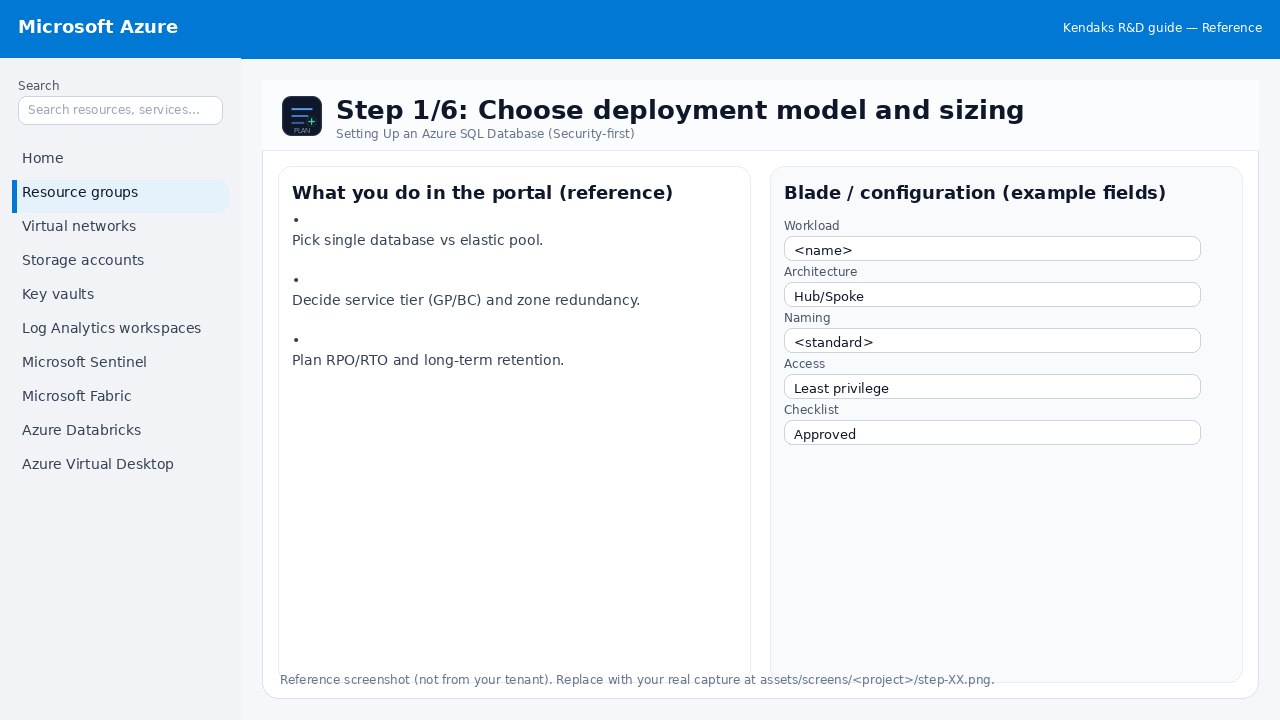
Choose deployment model and sizing

Reference screenshot for Setting Up an Azure SQL Database (Security-first) step 1
Reference portal screenshot (click to zoom). Replace with your tenant capture if needed.
  • Pick single database vs elastic pool.
  • Decide service tier (GP/BC) and zone redundancy.
  • Plan RPO/RTO and long-term retention.
Validation checklist
  • Stakeholders have signed off the scope, SLAs, and data/security requirements.
  • You have documented naming standards, environments, and ownership (RACI).
Zoomed screenshot
Step 2/6
Deploy

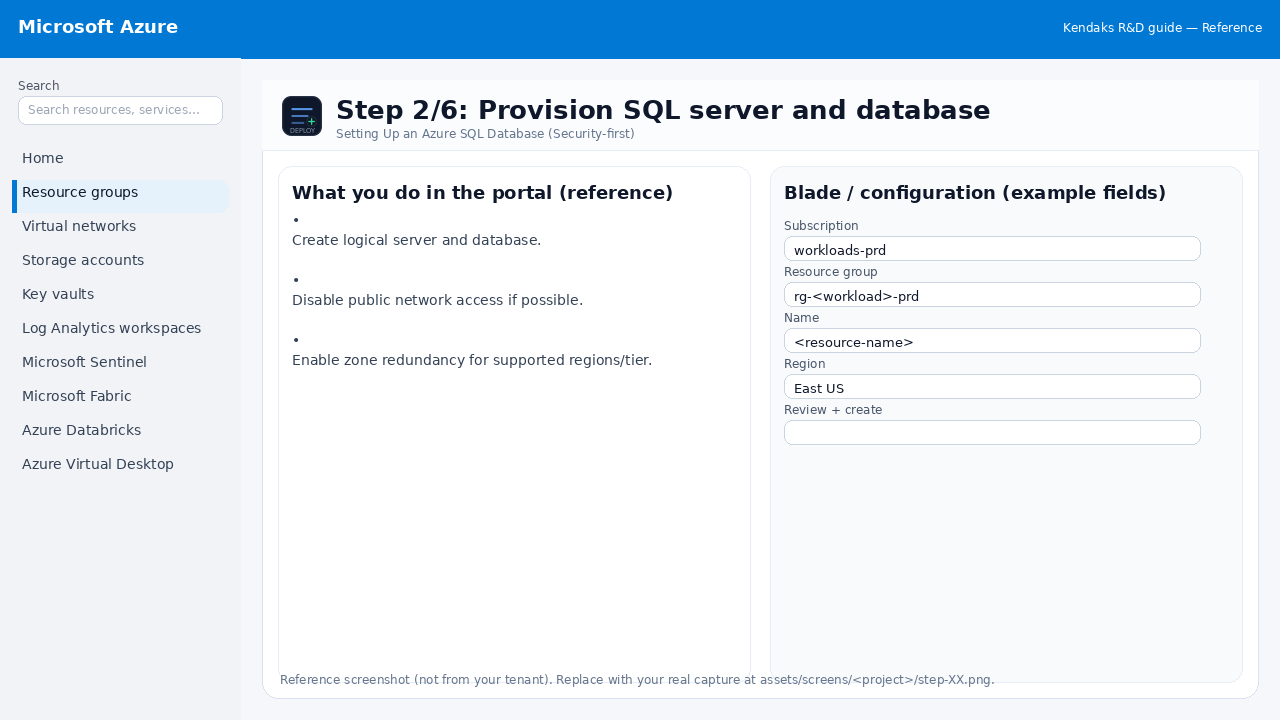
Provision SQL server and database

Reference screenshot for Setting Up an Azure SQL Database (Security-first) step 2
Reference portal screenshot (click to zoom). Replace with your tenant capture if needed.
  • Create logical server and database.
  • Disable public network access if possible.
  • Enable zone redundancy for supported regions/tier.
Example code / notes
az sql server create -g rg-data -n sql-kendaks -l eastus -u sqladmin -p <PASSWORD>
az sql db create -g rg-data -s sql-kendaks -n kendaksdb --service-objective GP_S_Gen5_2
Validation checklist
  • Deployment completed; smoke tests passed; rollback plan confirmed.
Zoomed screenshot
Step 3/6
Network

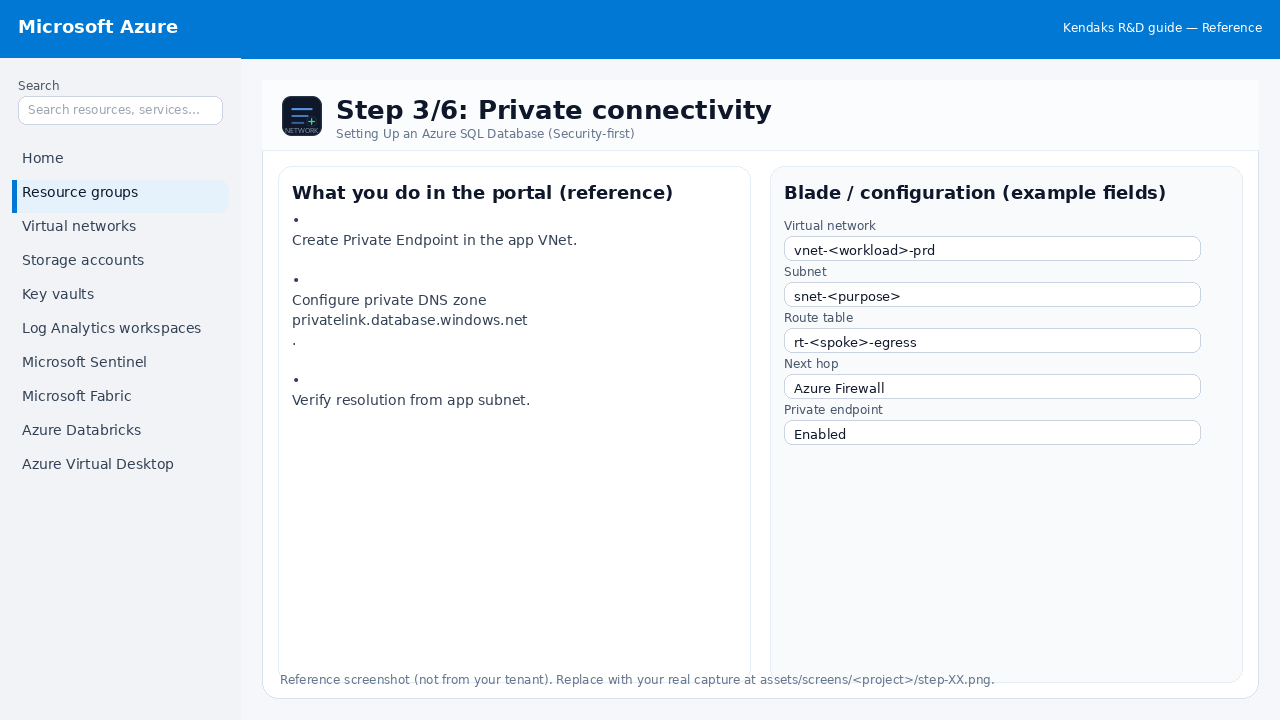
Private connectivity

Reference screenshot for Setting Up an Azure SQL Database (Security-first) step 3
Reference portal screenshot (click to zoom). Replace with your tenant capture if needed.
  • Create Private Endpoint in the app VNet.
  • Configure private DNS zone privatelink.database.windows.net.
  • Verify resolution from app subnet.
Validation checklist
  • The target VNet/subnets/peerings/UDRs/NSGs are deployed with no errors.
  • Connectivity test passes (e.g., Network Watcher connection troubleshoot / ping between subnets where allowed).
  • Egress is controlled (traffic observed in Firewall logs if applicable).
Zoomed screenshot
Step 4/6
Secure

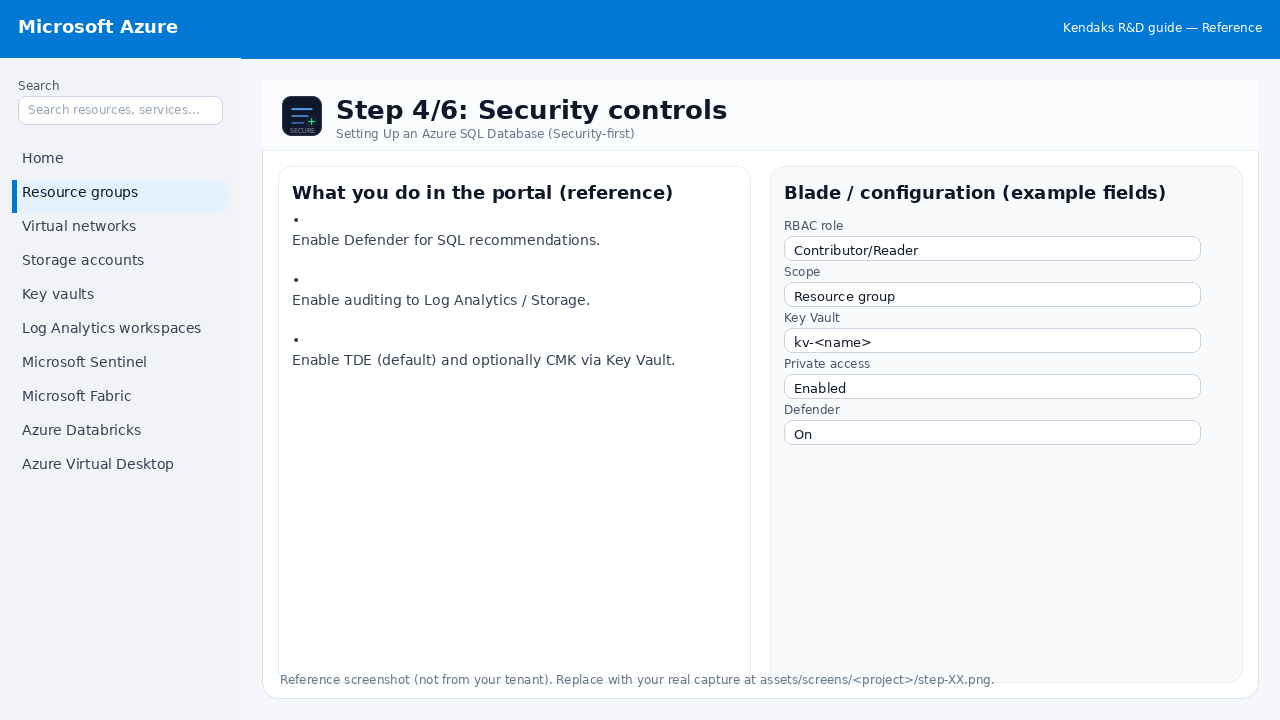
Security controls

Reference screenshot for Setting Up an Azure SQL Database (Security-first) step 4
Reference portal screenshot (click to zoom). Replace with your tenant capture if needed.
  • Enable Defender for SQL recommendations.
  • Enable auditing to Log Analytics / Storage.
  • Enable TDE (default) and optionally CMK via Key Vault.
Validation checklist
  • Security baseline applied (Defender/Policy/WAF/Firewall rules as applicable).
  • No public endpoints unless explicitly approved; private endpoints verified where applicable.
  • Alerts are configured for high-risk events.
Zoomed screenshot
Step 5/6
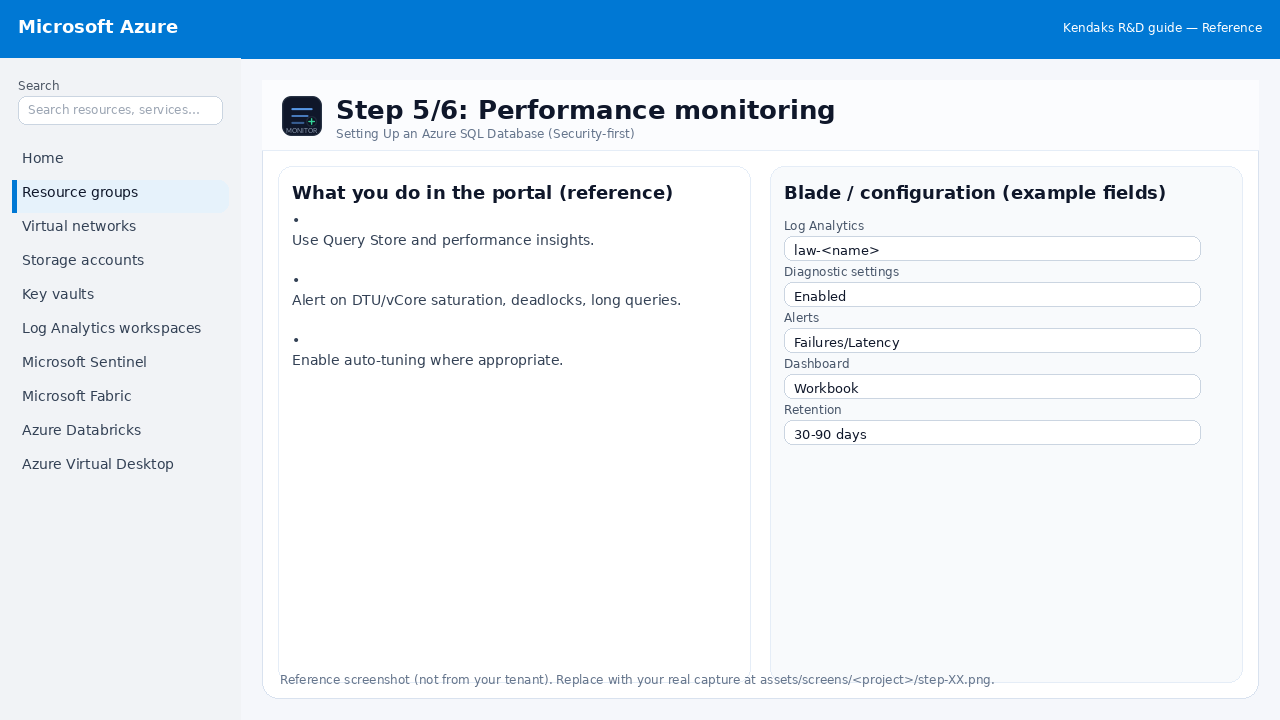
Monitor

Performance monitoring

Reference screenshot for Setting Up an Azure SQL Database (Security-first) step 5
Reference portal screenshot (click to zoom). Replace with your tenant capture if needed.
  • Use Query Store and performance insights.
  • Alert on DTU/vCore saturation, deadlocks, long queries.
  • Enable auto-tuning where appropriate.
Validation checklist
  • Logs and metrics are flowing (check Log Analytics / Monitor).
  • Alerts trigger correctly (test alert path to email/Teams/ITSM).
Zoomed screenshot
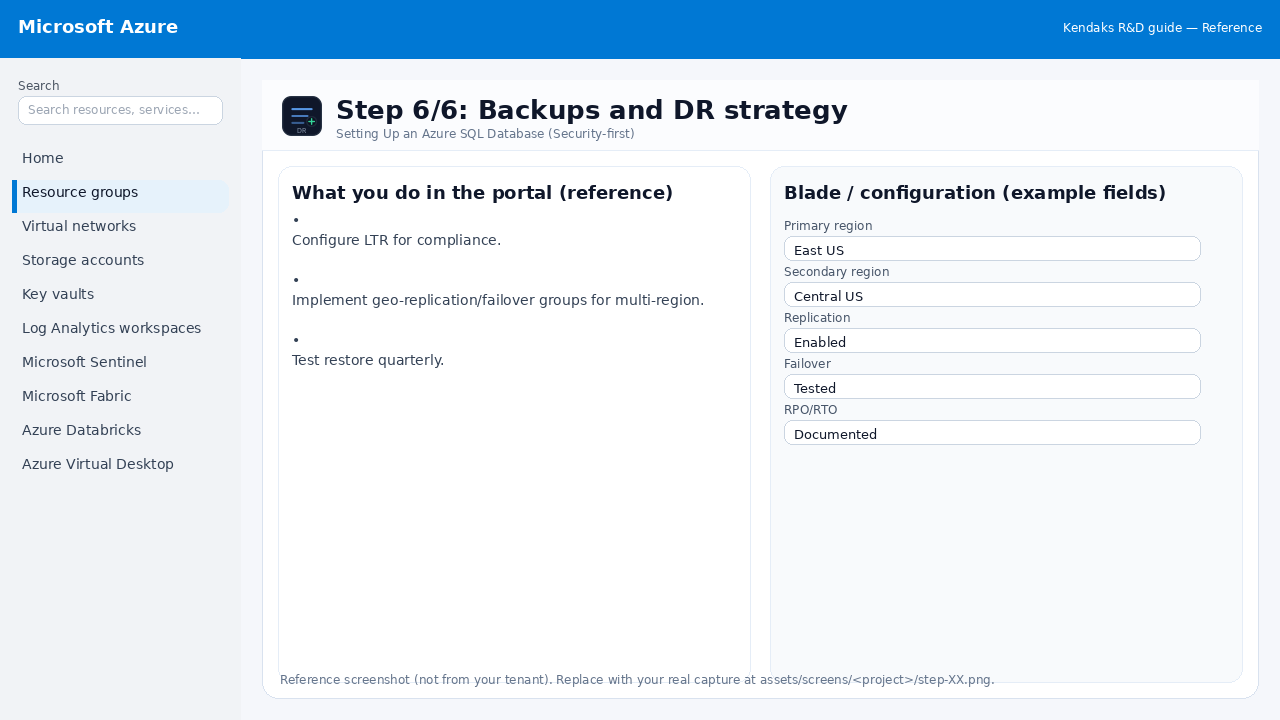
Step 6/6
DR

Backups and DR strategy

Reference screenshot for Setting Up an Azure SQL Database (Security-first) step 6
Reference portal screenshot (click to zoom). Replace with your tenant capture if needed.
  • Configure LTR for compliance.
  • Implement geo-replication/failover groups for multi-region.
  • Test restore quarterly.
Validation checklist
  • Failover procedure is documented and tested (tabletop + technical drill).
  • RPO/RTO measured and meets requirements.
Zoomed screenshot

Video tutorials

References