Kendaks R&D guide

Designing a Multi-Region Disaster Recovery (Front Door + Failover)

Category: Reliability

Scenario: A customer portal needs DR across regions with low RTO/RPO. Example: 'Kendaks Portal' uses active-passive with automated failover.

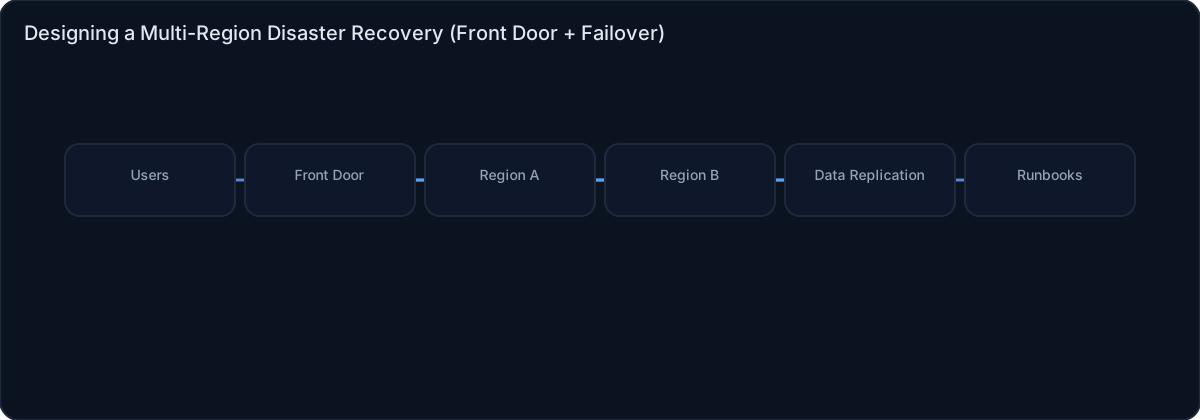
Architecture diagram

High-level view of the main components and data/control flows.

Architecture diagram

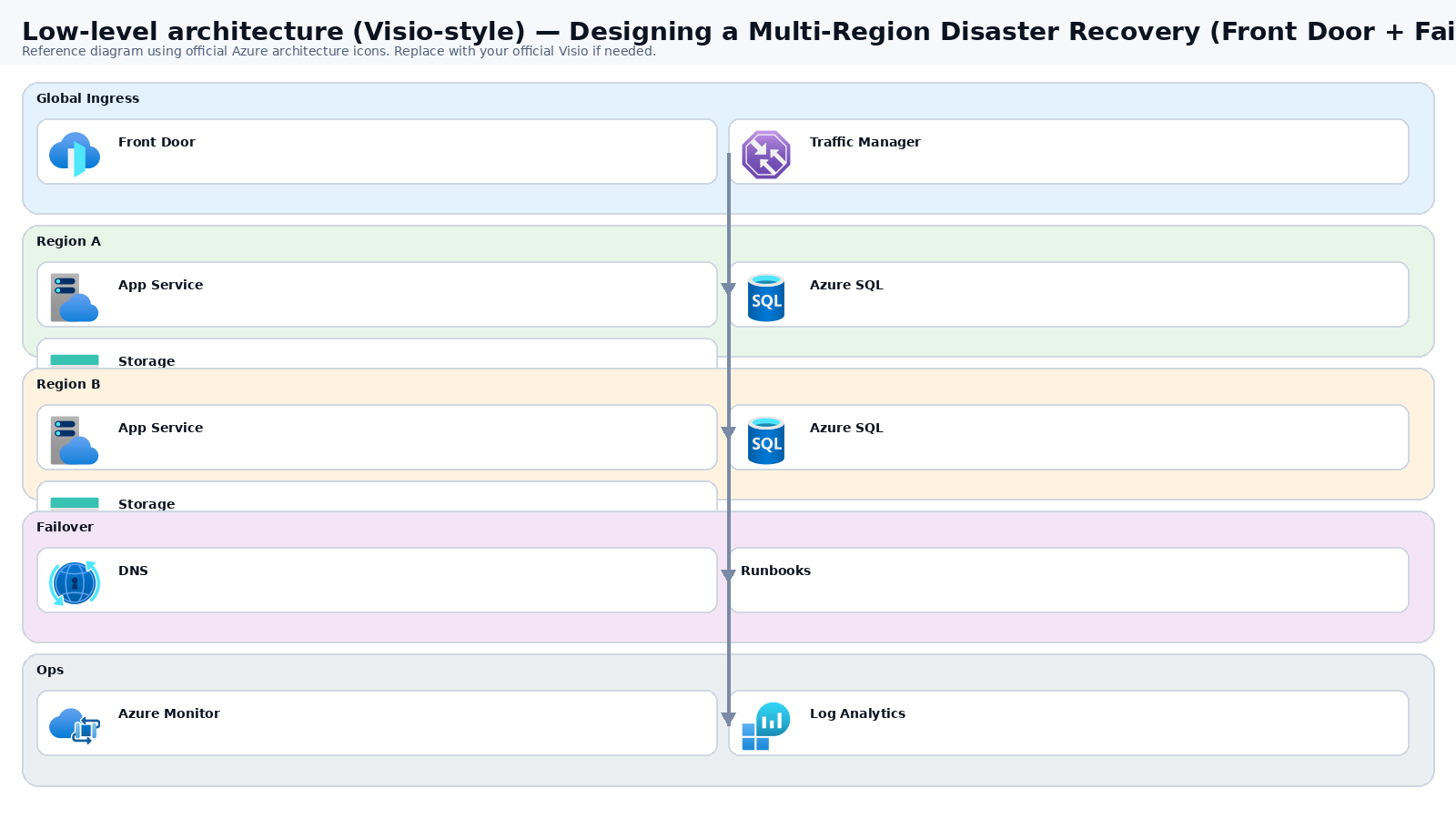
Low-level architecture diagram (Visio-style)

Implementation view (networking, security, ops). Click to open full size.

Low-level architecture diagram

Low-level architecture details

(No low-level text provided.)

Step-by-step implementation

Step 1/6
Plan

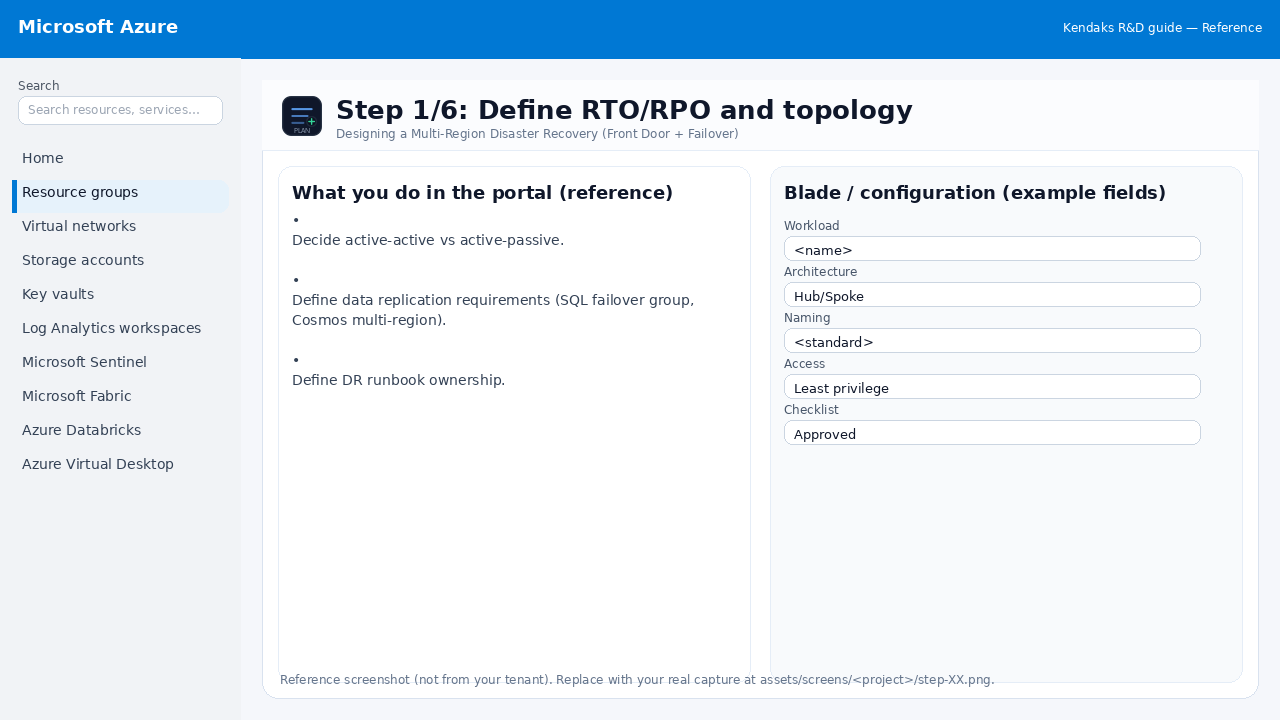
Define RTO/RPO and topology

Reference screenshot for Designing a Multi-Region Disaster Recovery (Front Door + Failover) step 1
Reference portal screenshot (click to zoom). Replace with your tenant capture if needed.
  • Decide active-active vs active-passive.
  • Define data replication requirements (SQL failover group, Cosmos multi-region).
  • Define DR runbook ownership.
Validation checklist
  • Stakeholders have signed off the scope, SLAs, and data/security requirements.
  • You have documented naming standards, environments, and ownership (RACI).
Zoomed screenshot
Step 2/6
Deploy

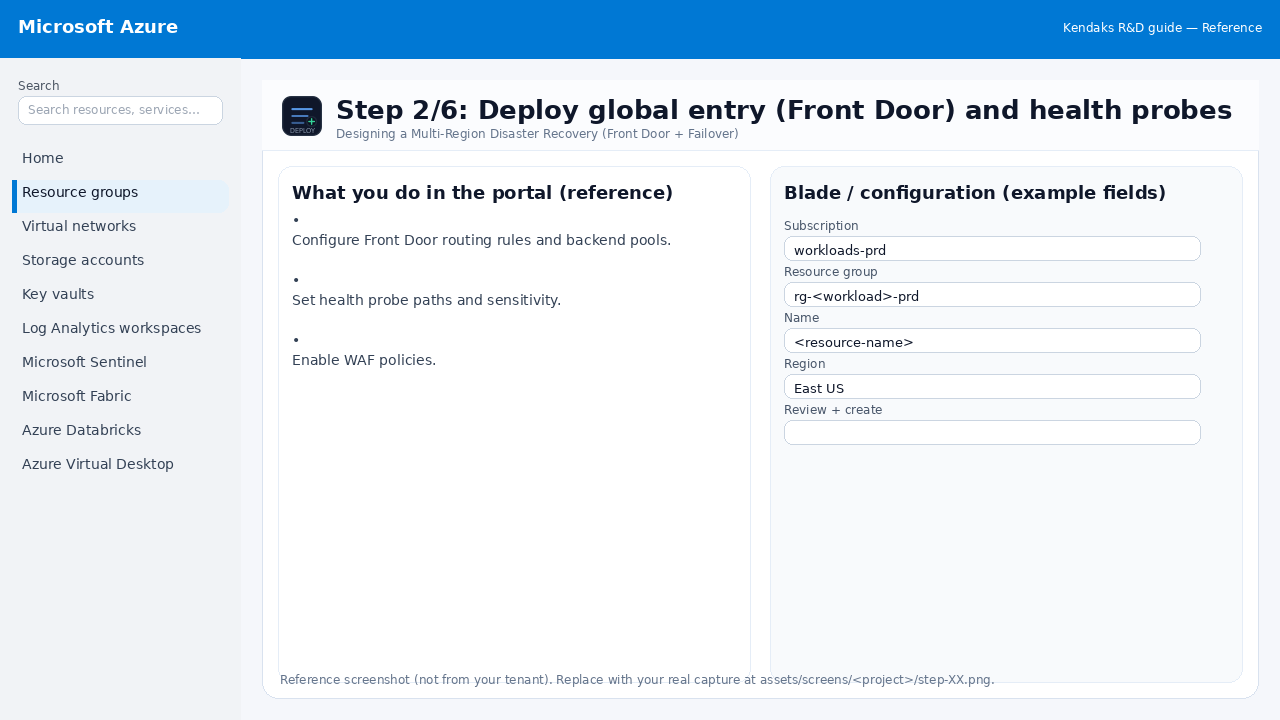
Deploy global entry (Front Door) and health probes

Reference screenshot for Designing a Multi-Region Disaster Recovery (Front Door + Failover) step 2
Reference portal screenshot (click to zoom). Replace with your tenant capture if needed.
  • Configure Front Door routing rules and backend pools.
  • Set health probe paths and sensitivity.
  • Enable WAF policies.
Validation checklist
  • Deployment completed; smoke tests passed; rollback plan confirmed.
Zoomed screenshot
Step 3/6
DR

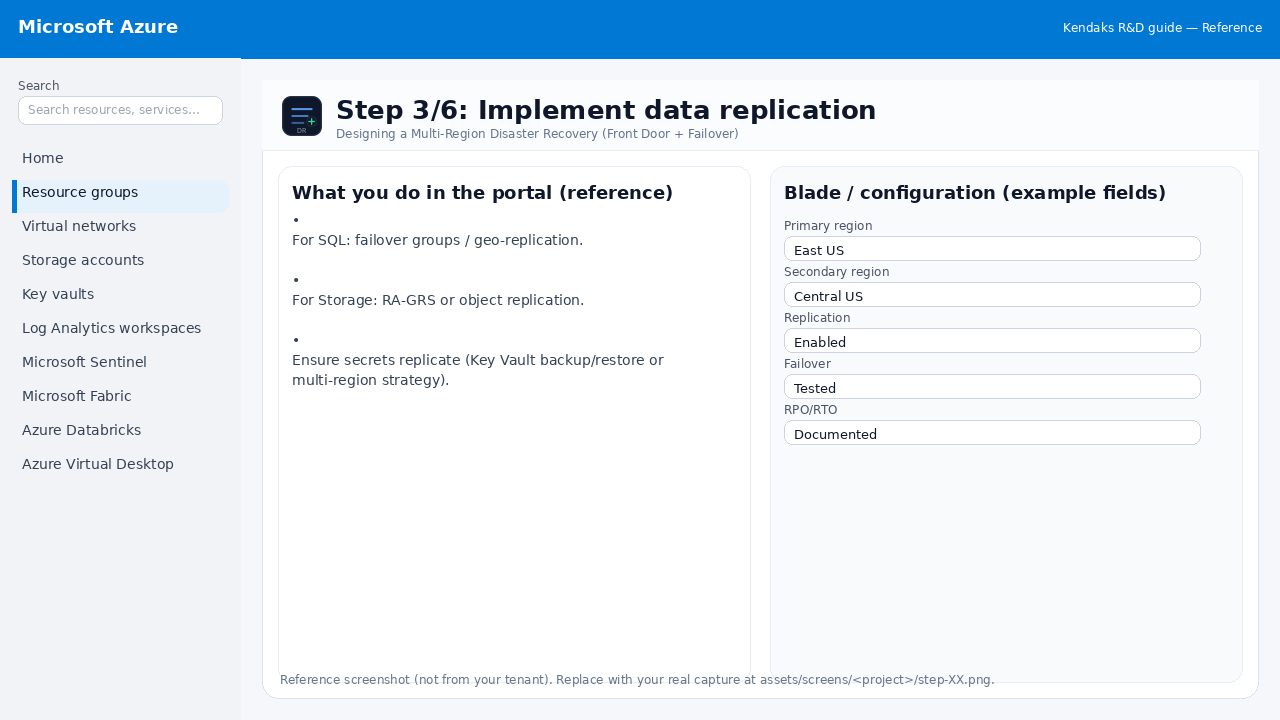
Implement data replication

Reference screenshot for Designing a Multi-Region Disaster Recovery (Front Door + Failover) step 3
Reference portal screenshot (click to zoom). Replace with your tenant capture if needed.
  • For SQL: failover groups / geo-replication.
  • For Storage: RA-GRS or object replication.
  • Ensure secrets replicate (Key Vault backup/restore or multi-region strategy).
Validation checklist
  • Failover procedure is documented and tested (tabletop + technical drill).
  • RPO/RTO measured and meets requirements.
Zoomed screenshot
Step 4/6
Secure

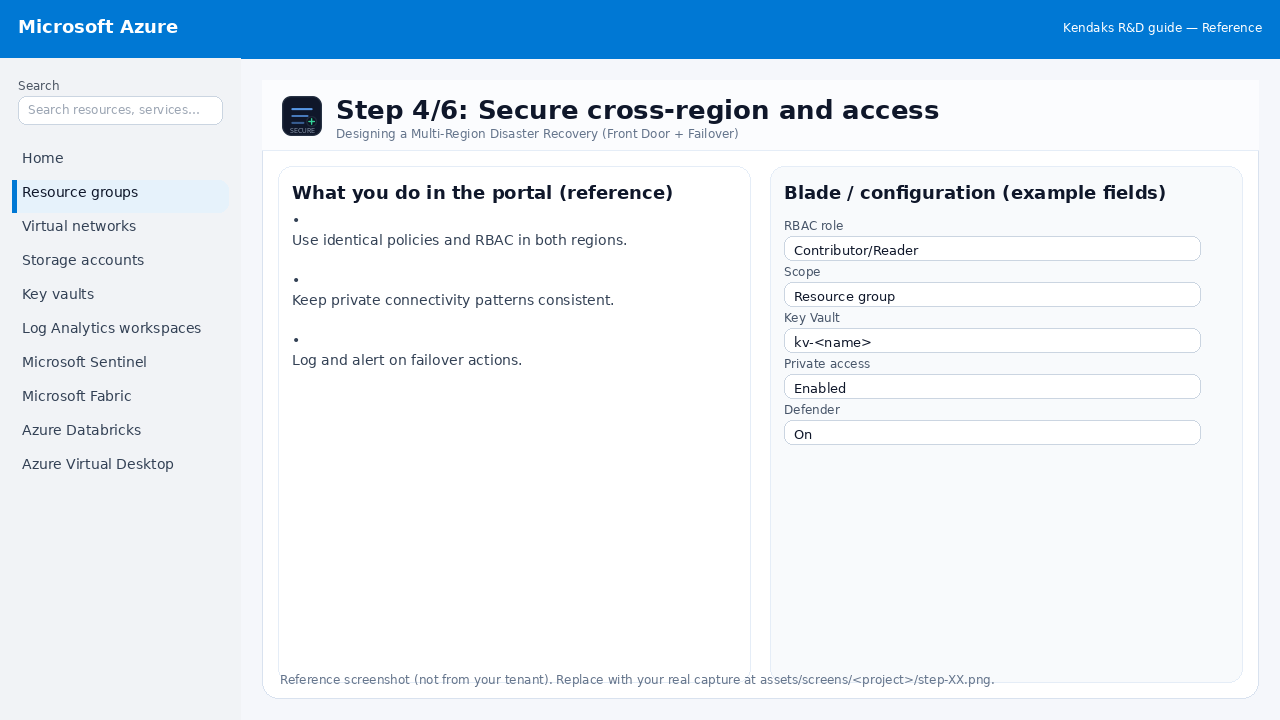
Secure cross-region and access

Reference screenshot for Designing a Multi-Region Disaster Recovery (Front Door + Failover) step 4
Reference portal screenshot (click to zoom). Replace with your tenant capture if needed.
  • Use identical policies and RBAC in both regions.
  • Keep private connectivity patterns consistent.
  • Log and alert on failover actions.
Validation checklist
  • Security baseline applied (Defender/Policy/WAF/Firewall rules as applicable).
  • No public endpoints unless explicitly approved; private endpoints verified where applicable.
  • Alerts are configured for high-risk events.
Zoomed screenshot
Step 5/6
Monitor

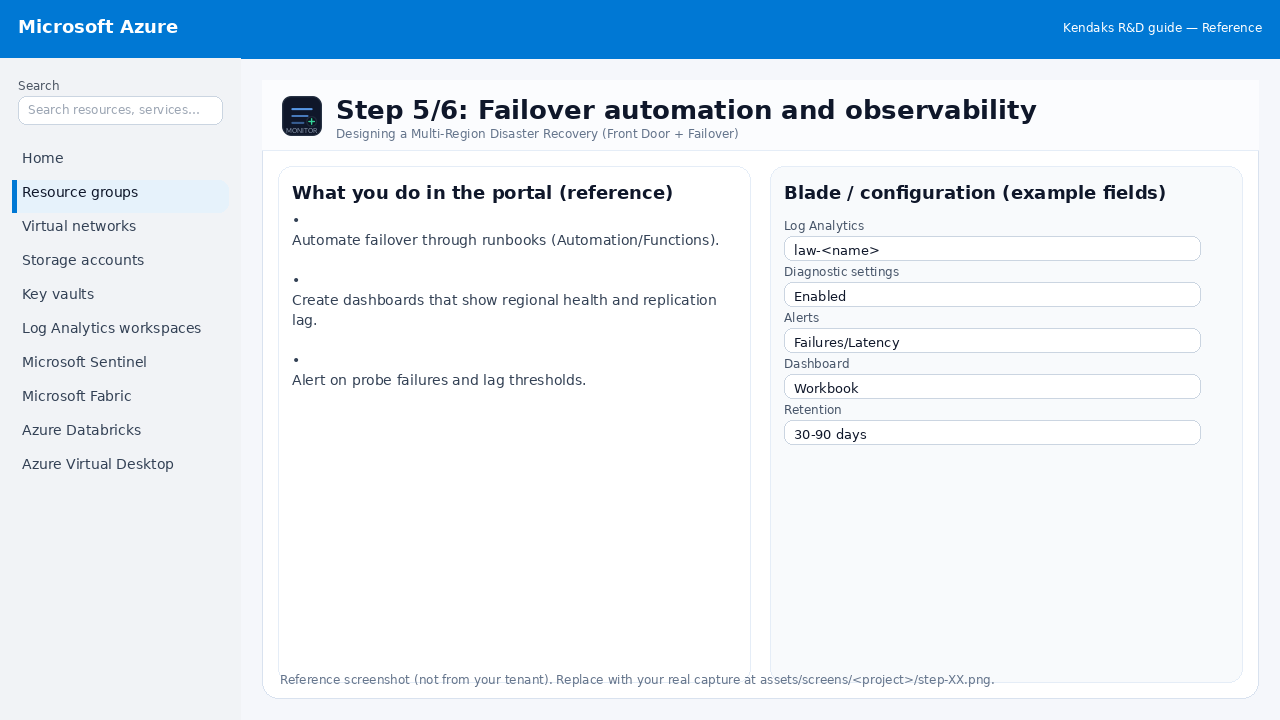
Failover automation and observability

Reference screenshot for Designing a Multi-Region Disaster Recovery (Front Door + Failover) step 5
Reference portal screenshot (click to zoom). Replace with your tenant capture if needed.
  • Automate failover through runbooks (Automation/Functions).
  • Create dashboards that show regional health and replication lag.
  • Alert on probe failures and lag thresholds.
Validation checklist
  • Logs and metrics are flowing (check Log Analytics / Monitor).
  • Alerts trigger correctly (test alert path to email/Teams/ITSM).
Zoomed screenshot
Step 6/6
Test

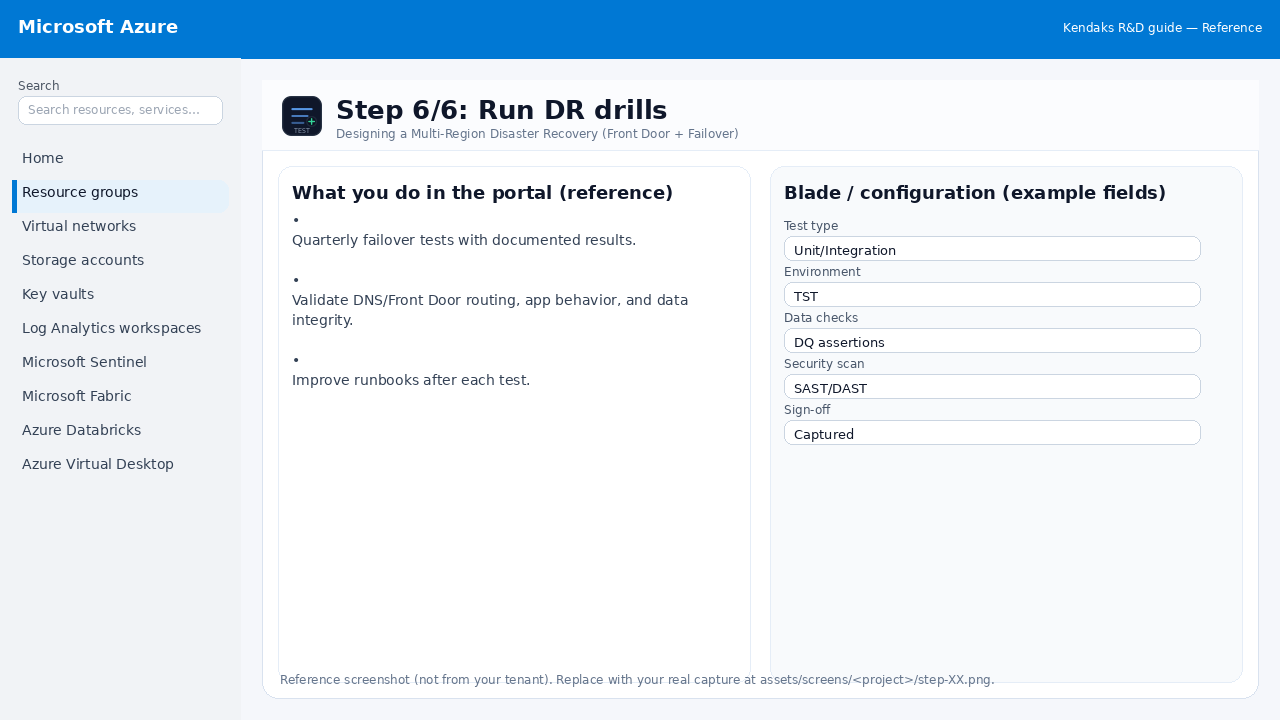
Run DR drills

Reference screenshot for Designing a Multi-Region Disaster Recovery (Front Door + Failover) step 6
Reference portal screenshot (click to zoom). Replace with your tenant capture if needed.
  • Quarterly failover tests with documented results.
  • Validate DNS/Front Door routing, app behavior, and data integrity.
  • Improve runbooks after each test.
Validation checklist
  • UAT completed with representative users and scenarios.
  • Performance meets baseline; issues tracked and remediated.
Zoomed screenshot

Video tutorials

References