Kendaks R&D guide

Zero Trust Cloud Security Platform (Entra ID + Conditional Access + Private Access)

Category: Security

Scenario: Enterprise requires Zero Trust for cloud apps and admin access. Example: 'Kendaks Enterprise' enforces MFA, device compliance, and least privilege for all workloads.

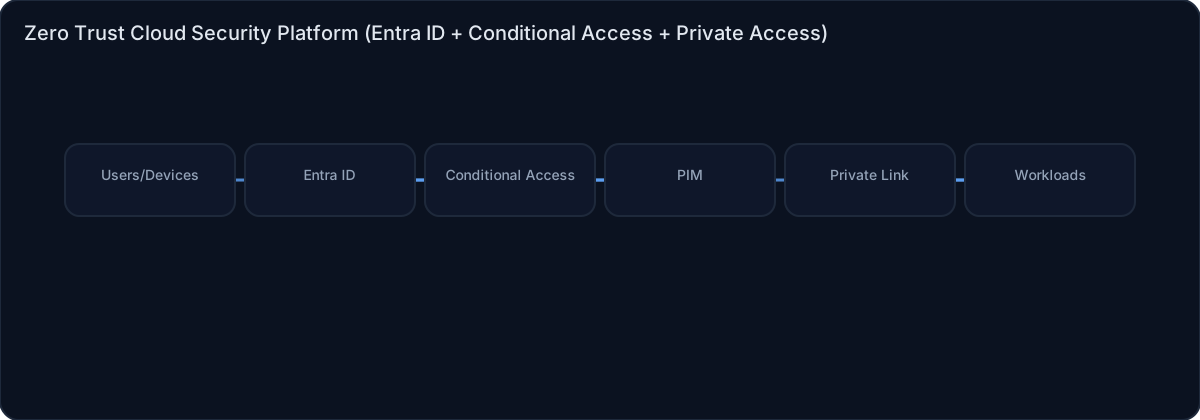
Architecture diagram

High-level view of the main components and data/control flows.

Architecture diagram

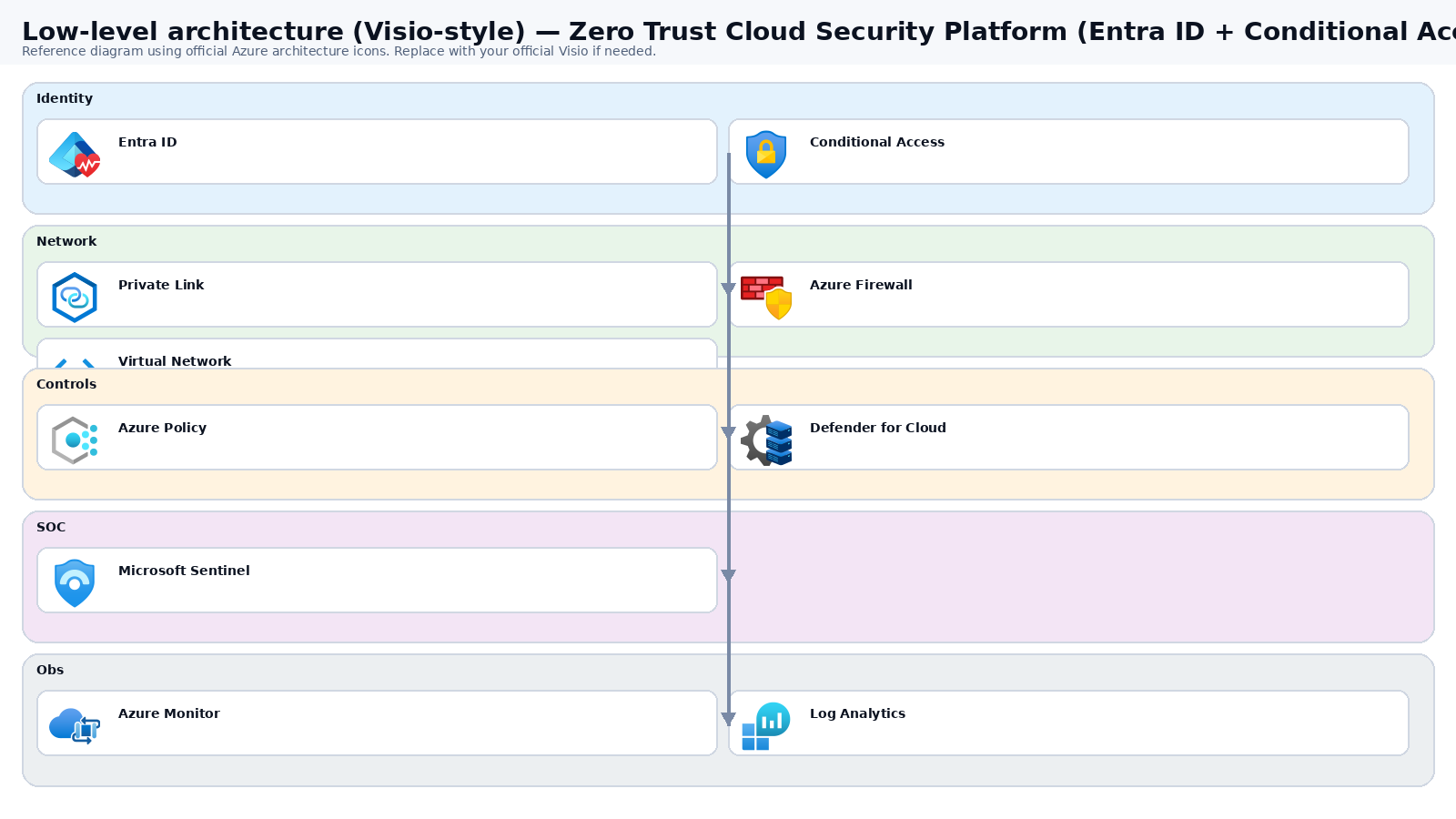
Low-level architecture diagram (Visio-style)

Implementation view (networking, security, ops). Click to open full size.

Low-level architecture diagram

Low-level architecture details

(No low-level text provided.)

Step-by-step implementation

Step 1/6
Plan

Define identity plane and device posture rules
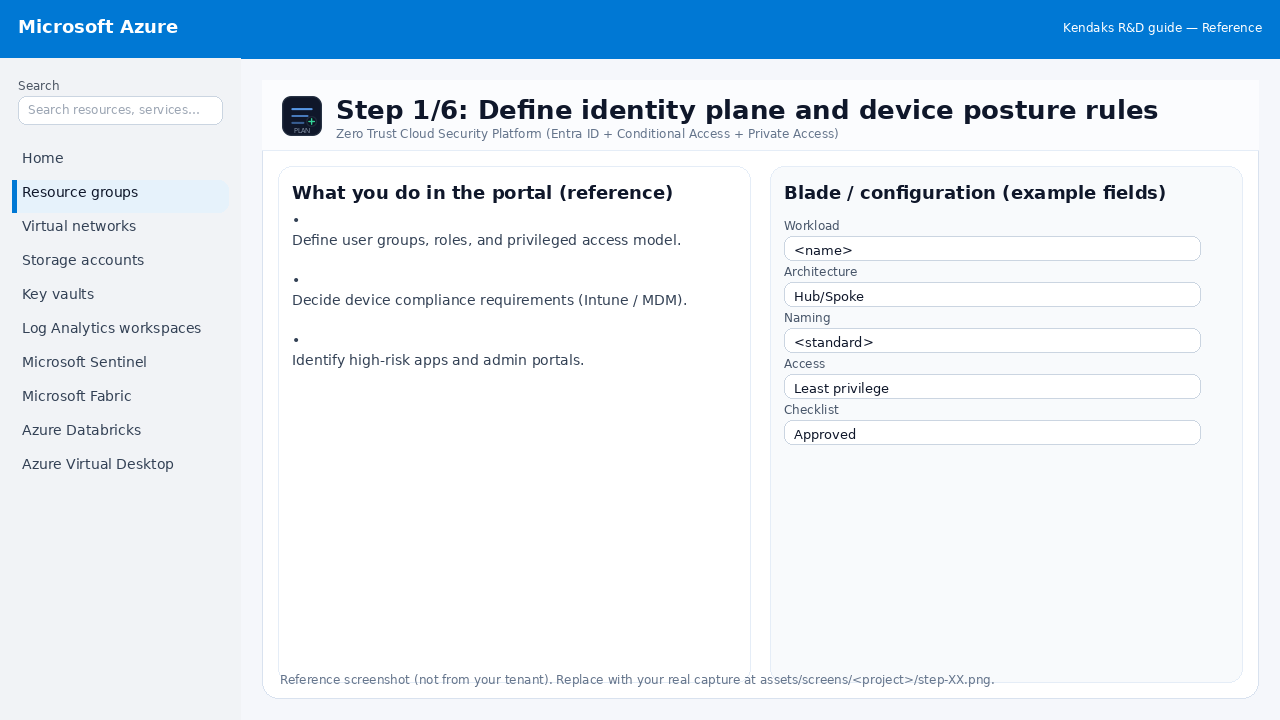
Reference screenshot for Zero Trust Cloud Security Platform (Entra ID + Conditional Access + Private Access) step 1
Reference portal screenshot (click to zoom). Replace with your tenant capture if needed.
  • Define user groups, roles, and privileged access model.
  • Decide device compliance requirements (Intune / MDM).
  • Identify high-risk apps and admin portals.
Validation checklist
  • Stakeholders have signed off the scope, SLAs, and data/security requirements.
  • You have documented naming standards, environments, and ownership (RACI).
Zoomed screenshot
Step 2/6
Identity

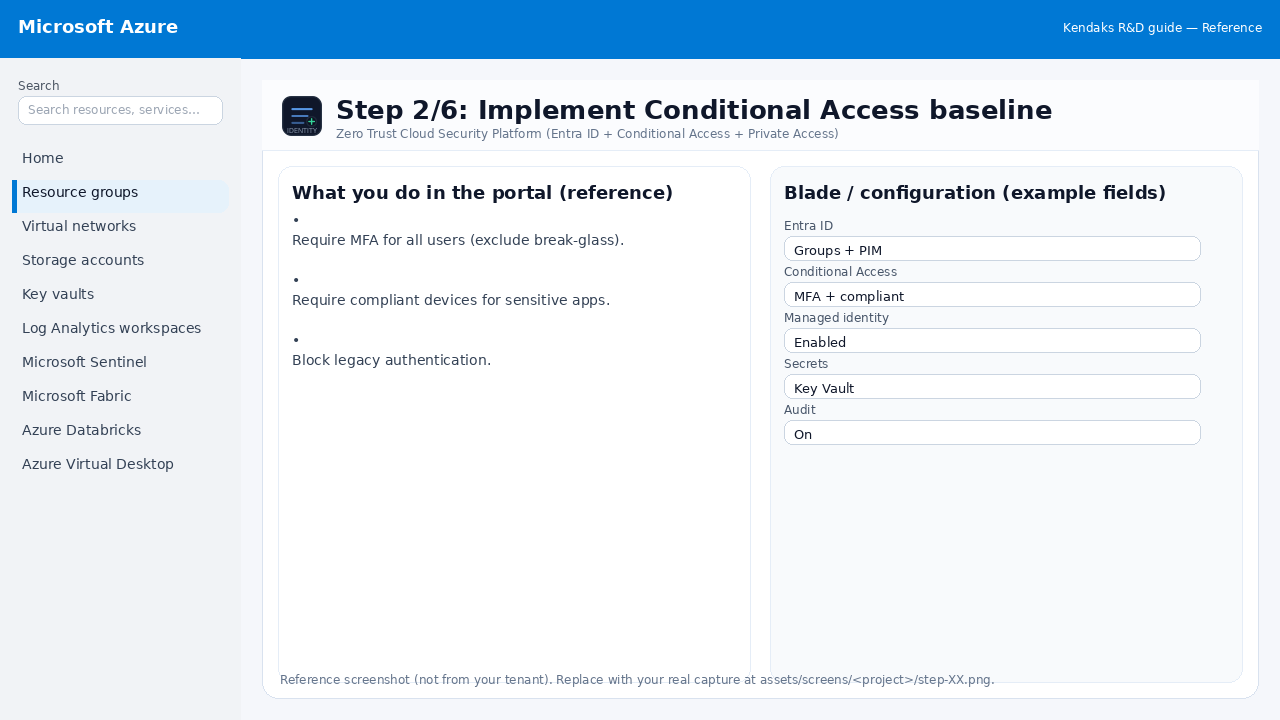
Implement Conditional Access baseline

Reference screenshot for Zero Trust Cloud Security Platform (Entra ID + Conditional Access + Private Access) step 2
Reference portal screenshot (click to zoom). Replace with your tenant capture if needed.
  • Require MFA for all users (exclude break-glass).
  • Require compliant devices for sensitive apps.
  • Block legacy authentication.
Validation checklist
  • Entra groups/roles are configured; privileged roles protected via PIM.
  • Conditional Access/MFA policies are enforced for relevant access paths.
Zoomed screenshot
Step 3/6
Secure

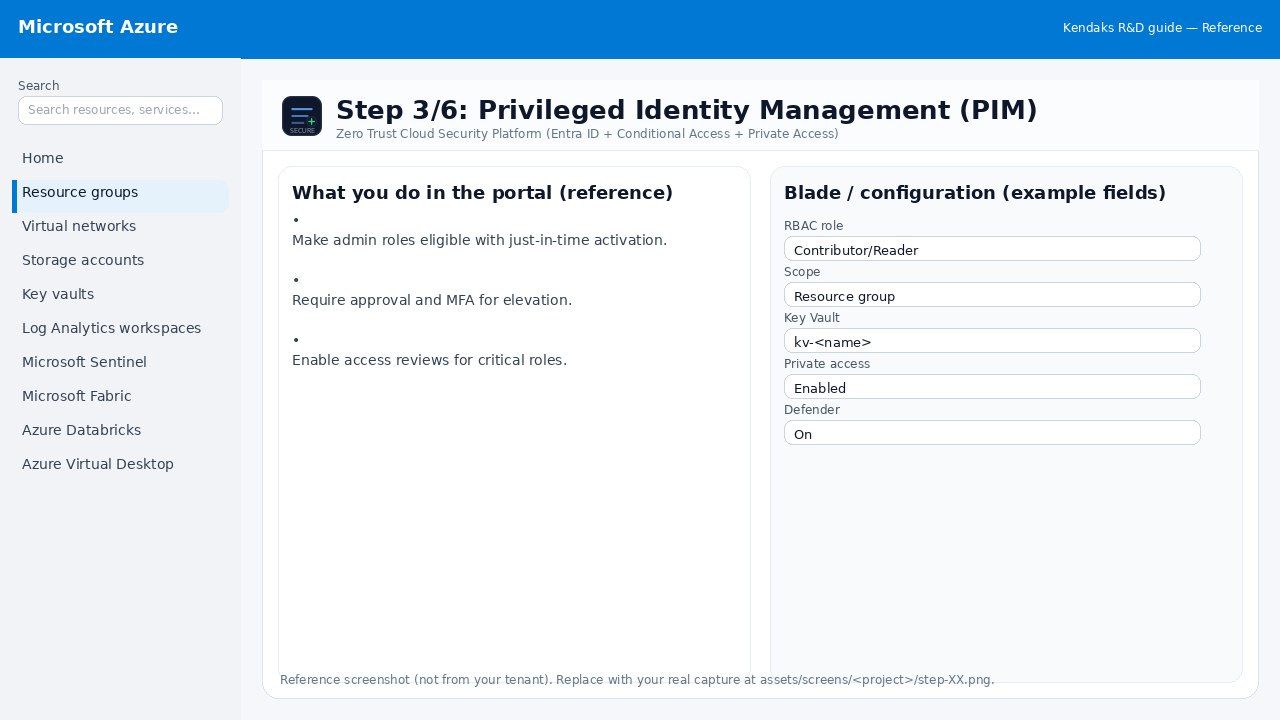
Privileged Identity Management (PIM)

Reference screenshot for Zero Trust Cloud Security Platform (Entra ID + Conditional Access + Private Access) step 3
Reference portal screenshot (click to zoom). Replace with your tenant capture if needed.
  • Make admin roles eligible with just-in-time activation.
  • Require approval and MFA for elevation.
  • Enable access reviews for critical roles.
Validation checklist
  • Security baseline applied (Defender/Policy/WAF/Firewall rules as applicable).
  • No public endpoints unless explicitly approved; private endpoints verified where applicable.
  • Alerts are configured for high-risk events.
Zoomed screenshot
Step 4/6
Network

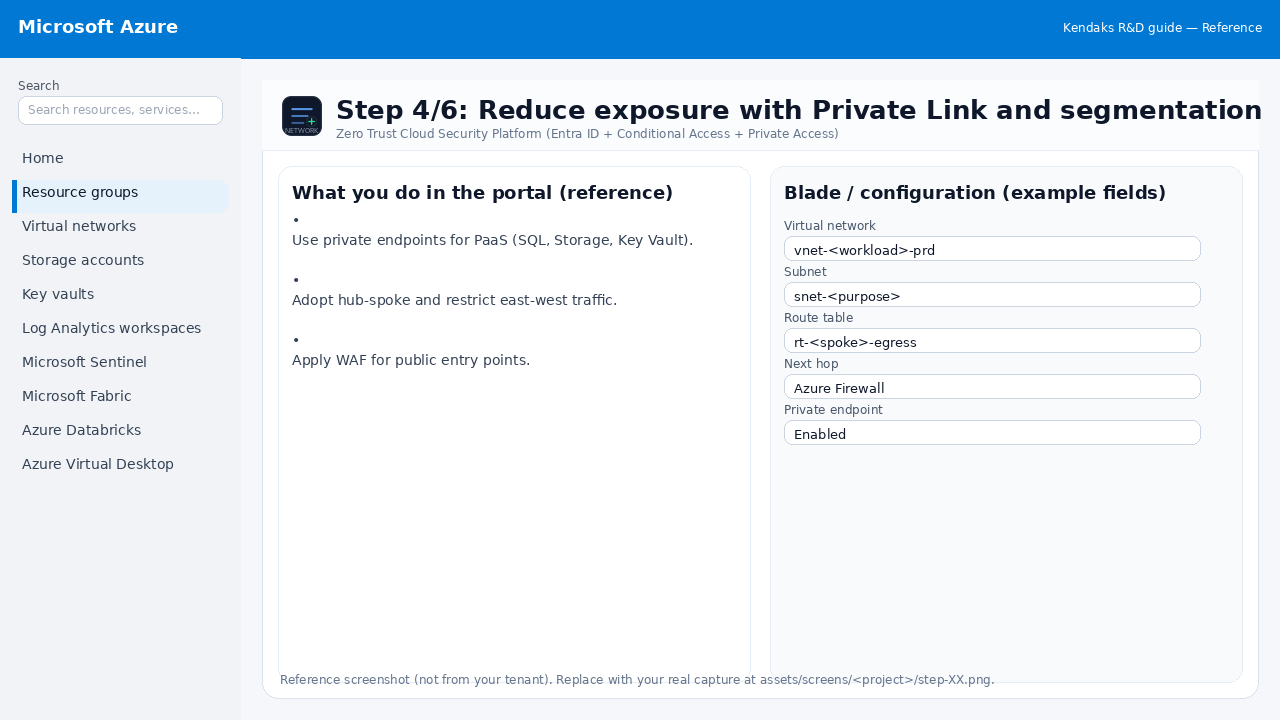
Reduce exposure with Private Link and segmentation

Reference screenshot for Zero Trust Cloud Security Platform (Entra ID + Conditional Access + Private Access) step 4
Reference portal screenshot (click to zoom). Replace with your tenant capture if needed.
  • Use private endpoints for PaaS (SQL, Storage, Key Vault).
  • Adopt hub-spoke and restrict east-west traffic.
  • Apply WAF for public entry points.
Validation checklist
  • The target VNet/subnets/peerings/UDRs/NSGs are deployed with no errors.
  • Connectivity test passes (e.g., Network Watcher connection troubleshoot / ping between subnets where allowed).
  • Egress is controlled (traffic observed in Firewall logs if applicable).
Zoomed screenshot
Step 5/6
Monitor

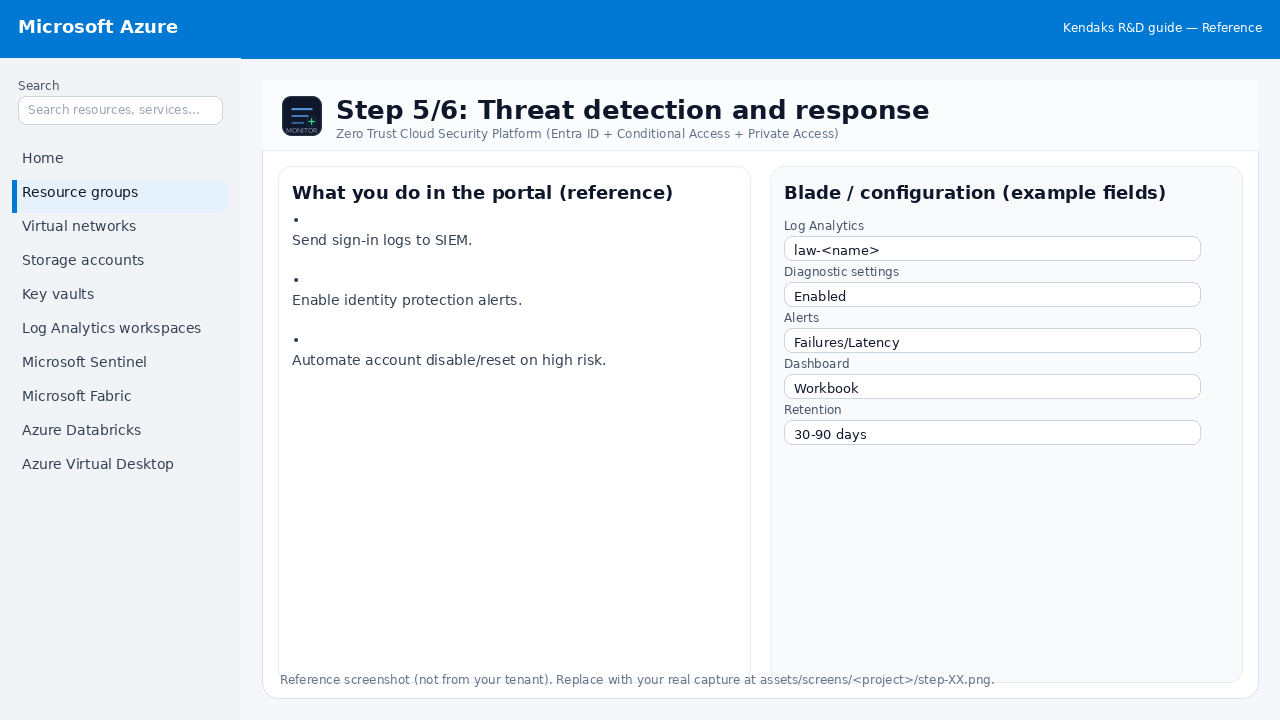
Threat detection and response

Reference screenshot for Zero Trust Cloud Security Platform (Entra ID + Conditional Access + Private Access) step 5
Reference portal screenshot (click to zoom). Replace with your tenant capture if needed.
  • Send sign-in logs to SIEM.
  • Enable identity protection alerts.
  • Automate account disable/reset on high risk.
Validation checklist
  • Logs and metrics are flowing (check Log Analytics / Monitor).
  • Alerts trigger correctly (test alert path to email/Teams/ITSM).
Zoomed screenshot
Step 6/6
Test

Validate Zero Trust with audits

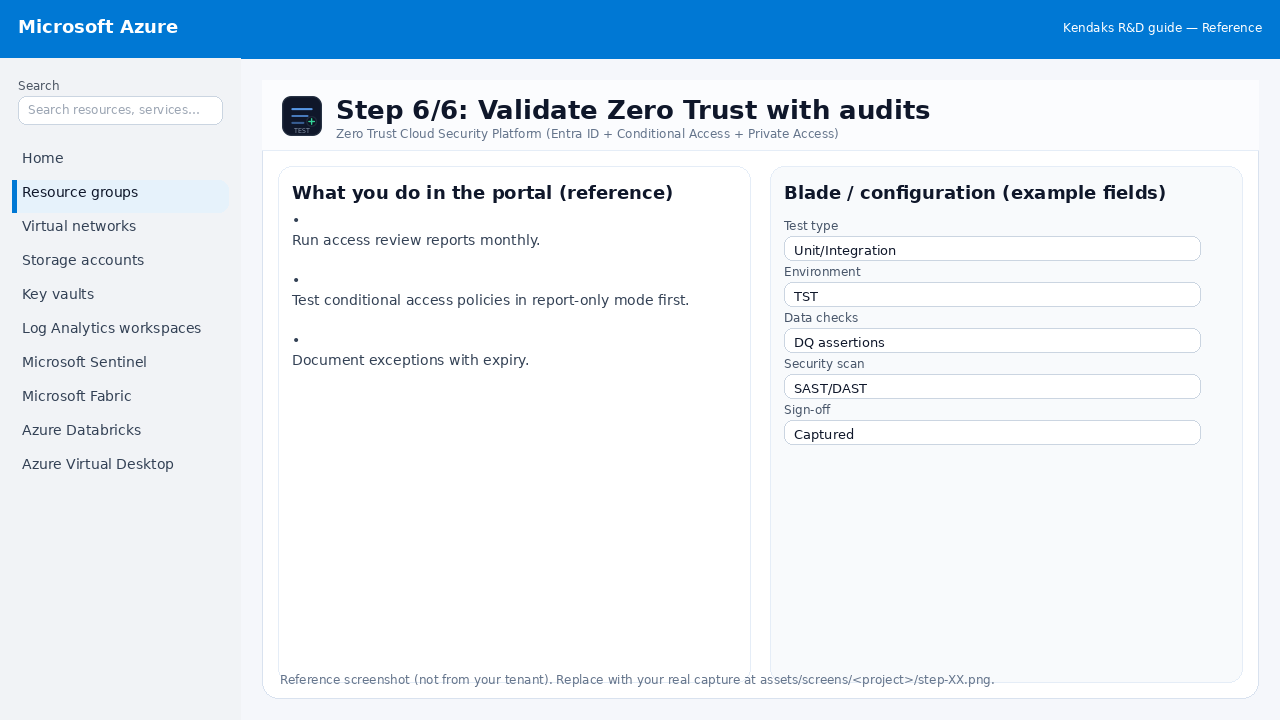
Reference screenshot for Zero Trust Cloud Security Platform (Entra ID + Conditional Access + Private Access) step 6
Reference portal screenshot (click to zoom). Replace with your tenant capture if needed.
  • Run access review reports monthly.
  • Test conditional access policies in report-only mode first.
  • Document exceptions with expiry.
Validation checklist
  • UAT completed with representative users and scenarios.
  • Performance meets baseline; issues tracked and remediated.
Zoomed screenshot

Video tutorials

References