Kendaks R&D guide

Secure SaaS Application (Private PaaS + Identity + App Gateway/WAF)

Category: Security & Architecture

Scenario: A multi-tenant SaaS must isolate tenants and secure PaaS. Example: 'Kendaks SaaS' uses private endpoints, WAF, and strong identity.

Architecture diagram

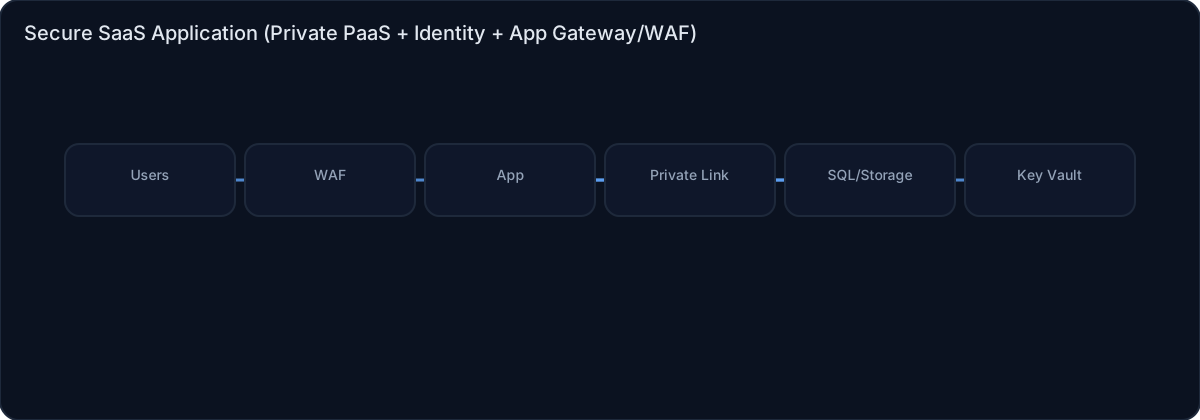
High-level view of the main components and data/control flows.

Architecture diagram

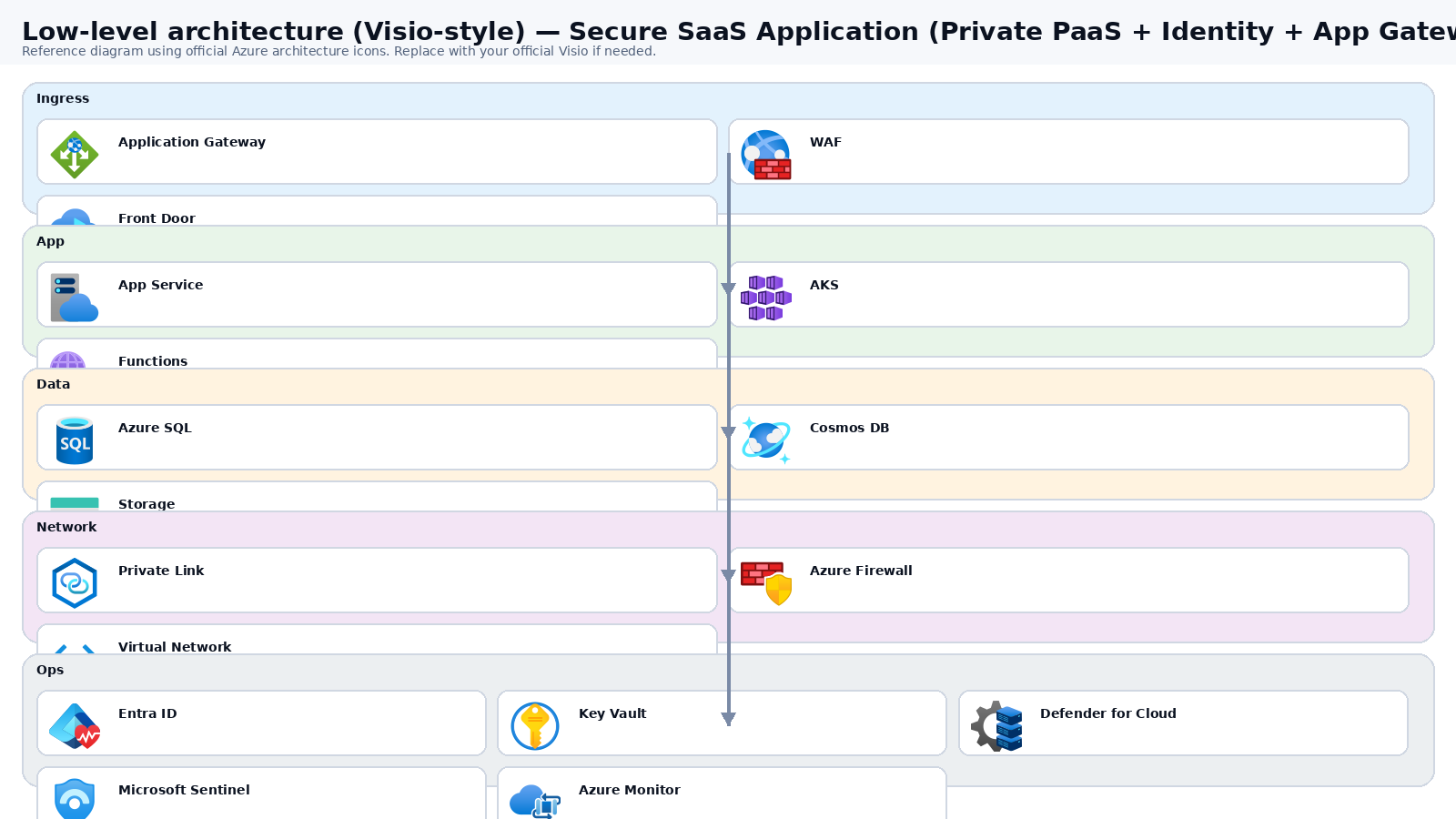
Low-level architecture diagram (Visio-style)

Implementation view (networking, security, ops). Click to open full size.

Low-level architecture diagram

Low-level architecture details

(No low-level text provided.)

Step-by-step implementation

Step 1/6
Plan

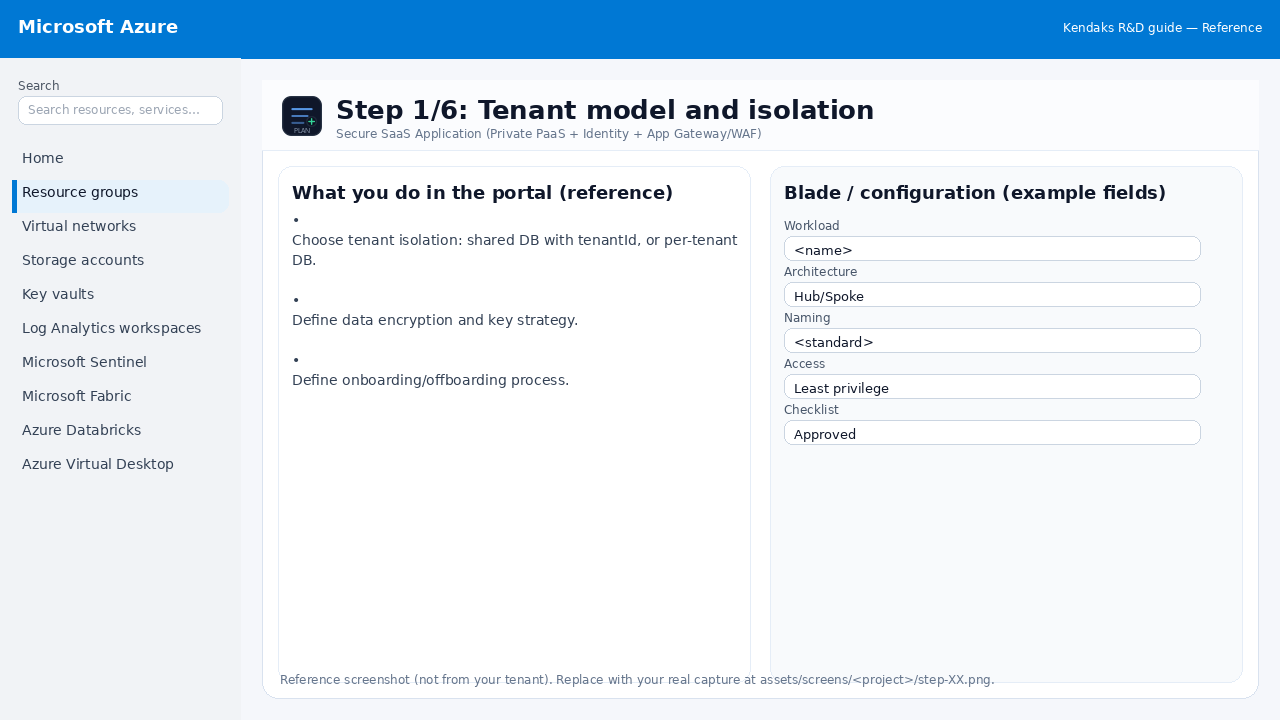
Tenant model and isolation

Reference screenshot for Secure SaaS Application (Private PaaS + Identity + App Gateway/WAF) step 1
Reference portal screenshot (click to zoom). Replace with your tenant capture if needed.
  • Choose tenant isolation: shared DB with tenantId, or per-tenant DB.
  • Define data encryption and key strategy.
  • Define onboarding/offboarding process.
Validation checklist
  • Stakeholders have signed off the scope, SLAs, and data/security requirements.
  • You have documented naming standards, environments, and ownership (RACI).
Zoomed screenshot
Step 2/6
Identity

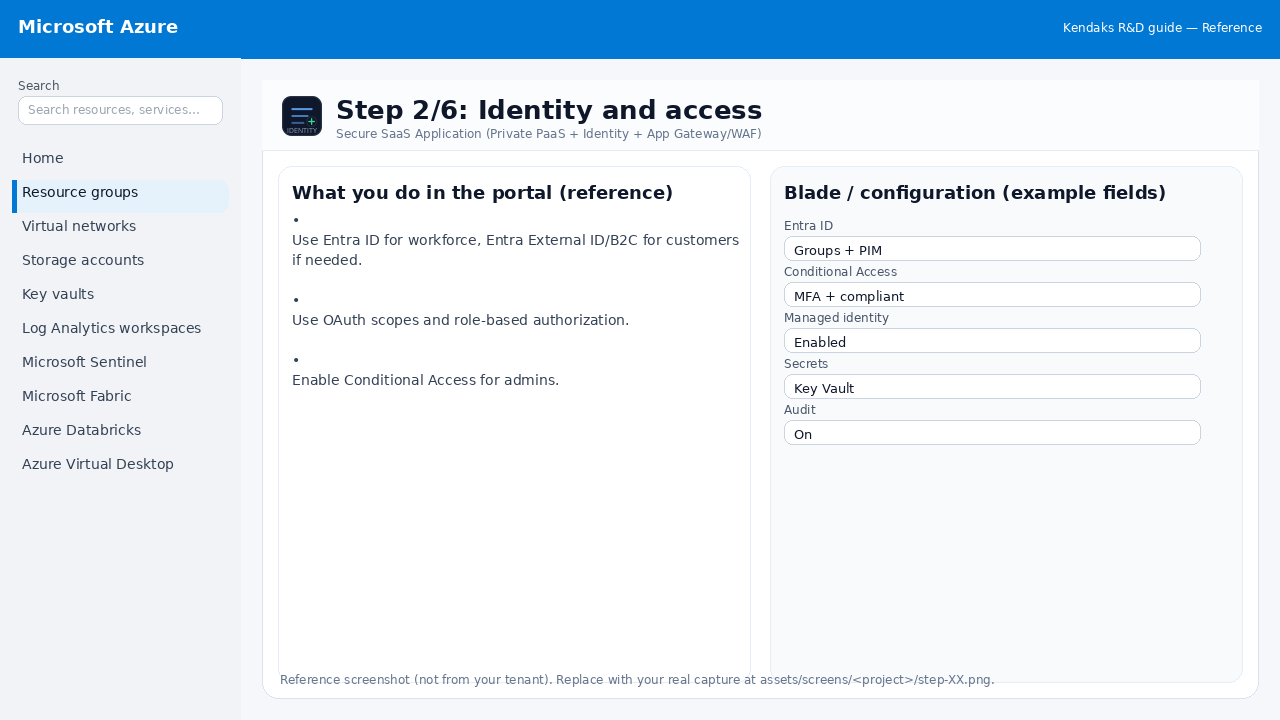
Identity and access

Reference screenshot for Secure SaaS Application (Private PaaS + Identity + App Gateway/WAF) step 2
Reference portal screenshot (click to zoom). Replace with your tenant capture if needed.
  • Use Entra ID for workforce, Entra External ID/B2C for customers if needed.
  • Use OAuth scopes and role-based authorization.
  • Enable Conditional Access for admins.
Validation checklist
  • Entra groups/roles are configured; privileged roles protected via PIM.
  • Conditional Access/MFA policies are enforced for relevant access paths.
Zoomed screenshot
Step 3/6
Network

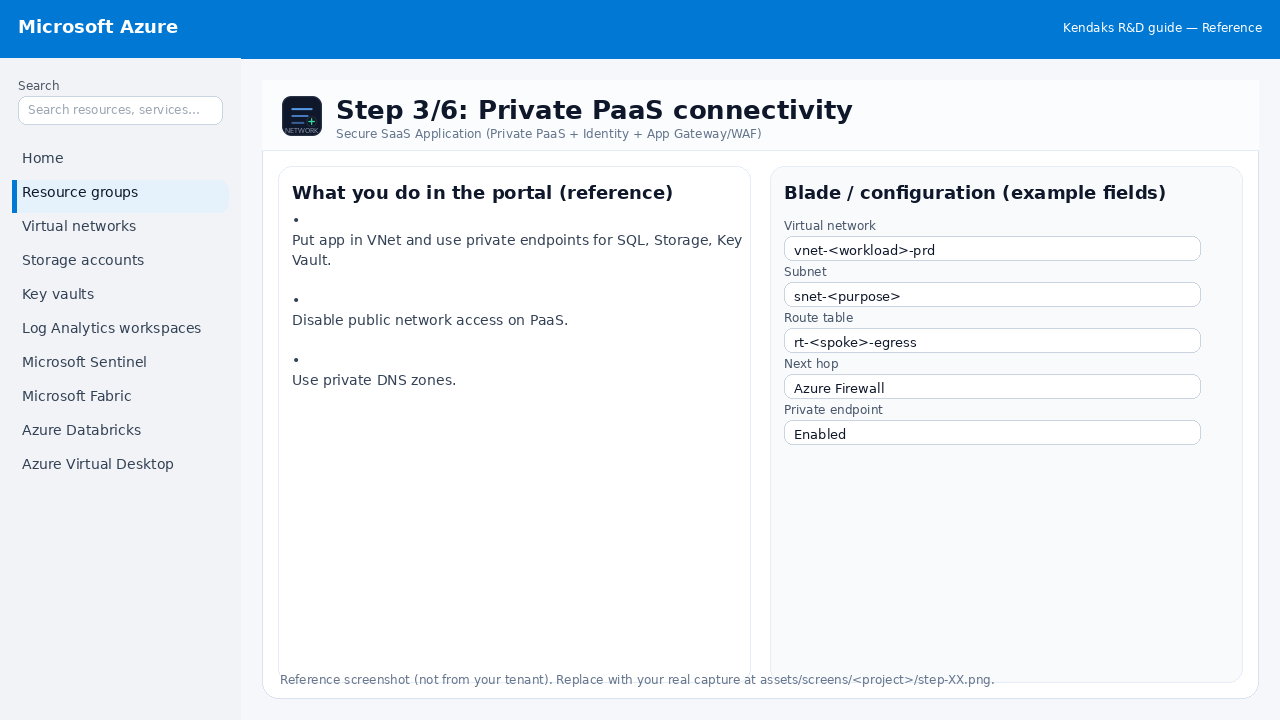
Private PaaS connectivity

Reference screenshot for Secure SaaS Application (Private PaaS + Identity + App Gateway/WAF) step 3
Reference portal screenshot (click to zoom). Replace with your tenant capture if needed.
  • Put app in VNet and use private endpoints for SQL, Storage, Key Vault.
  • Disable public network access on PaaS.
  • Use private DNS zones.
Validation checklist
  • The target VNet/subnets/peerings/UDRs/NSGs are deployed with no errors.
  • Connectivity test passes (e.g., Network Watcher connection troubleshoot / ping between subnets where allowed).
  • Egress is controlled (traffic observed in Firewall logs if applicable).
Zoomed screenshot
Step 4/6
Secure

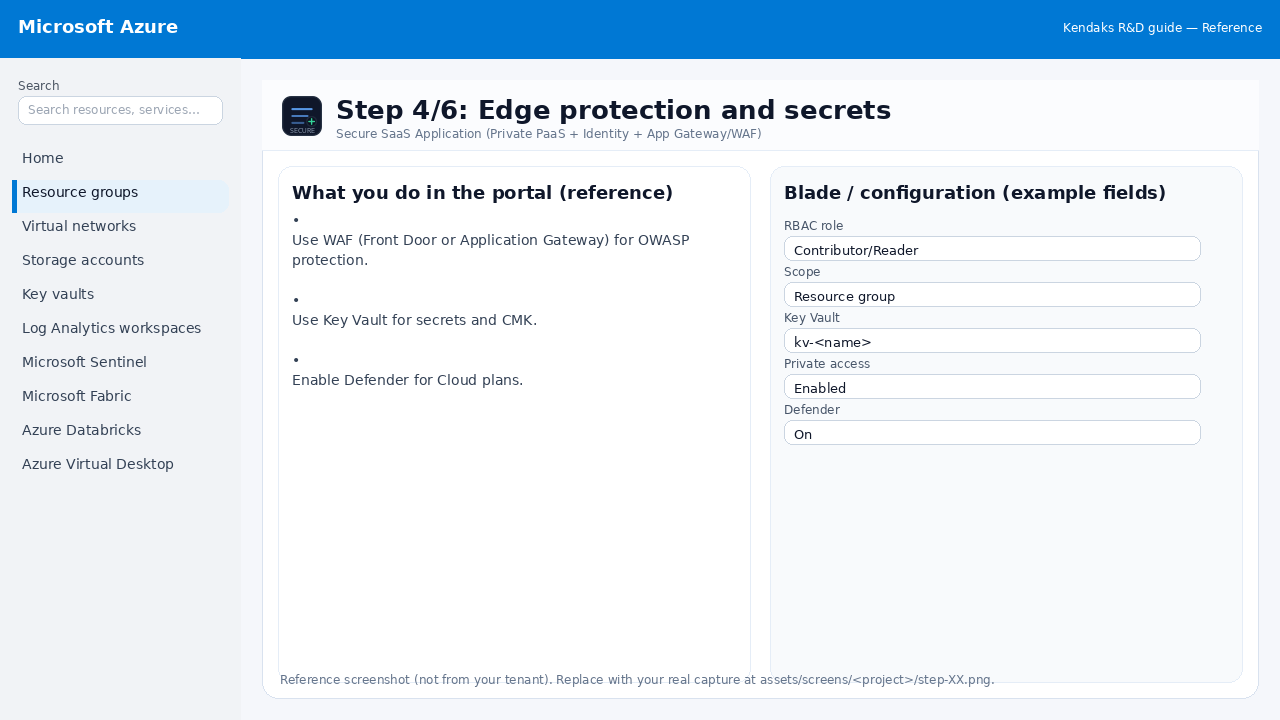
Edge protection and secrets

Reference screenshot for Secure SaaS Application (Private PaaS + Identity + App Gateway/WAF) step 4
Reference portal screenshot (click to zoom). Replace with your tenant capture if needed.
  • Use WAF (Front Door or Application Gateway) for OWASP protection.
  • Use Key Vault for secrets and CMK.
  • Enable Defender for Cloud plans.
Validation checklist
  • Security baseline applied (Defender/Policy/WAF/Firewall rules as applicable).
  • No public endpoints unless explicitly approved; private endpoints verified where applicable.
  • Alerts are configured for high-risk events.
Zoomed screenshot
Step 5/6
Monitor

Logging and audit

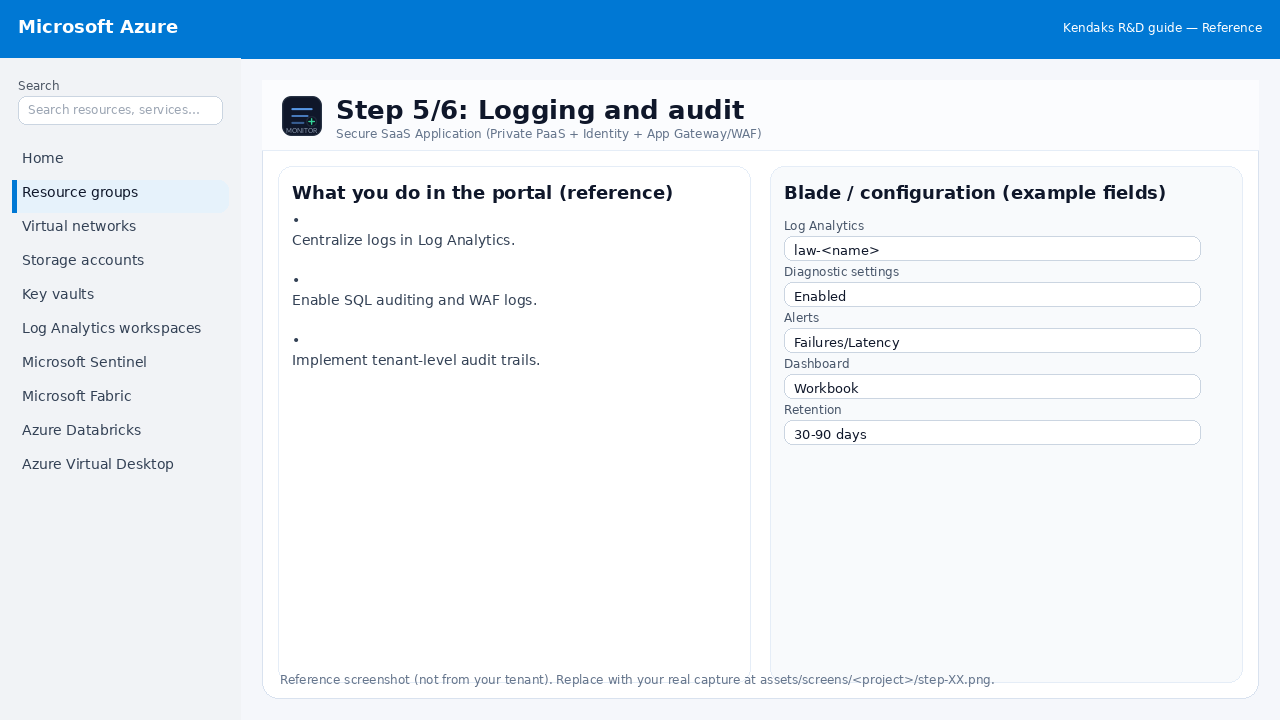
Reference screenshot for Secure SaaS Application (Private PaaS + Identity + App Gateway/WAF) step 5
Reference portal screenshot (click to zoom). Replace with your tenant capture if needed.
  • Centralize logs in Log Analytics.
  • Enable SQL auditing and WAF logs.
  • Implement tenant-level audit trails.
Validation checklist
  • Logs and metrics are flowing (check Log Analytics / Monitor).
  • Alerts trigger correctly (test alert path to email/Teams/ITSM).
Zoomed screenshot
Step 6/6
Test

Pen testing readiness

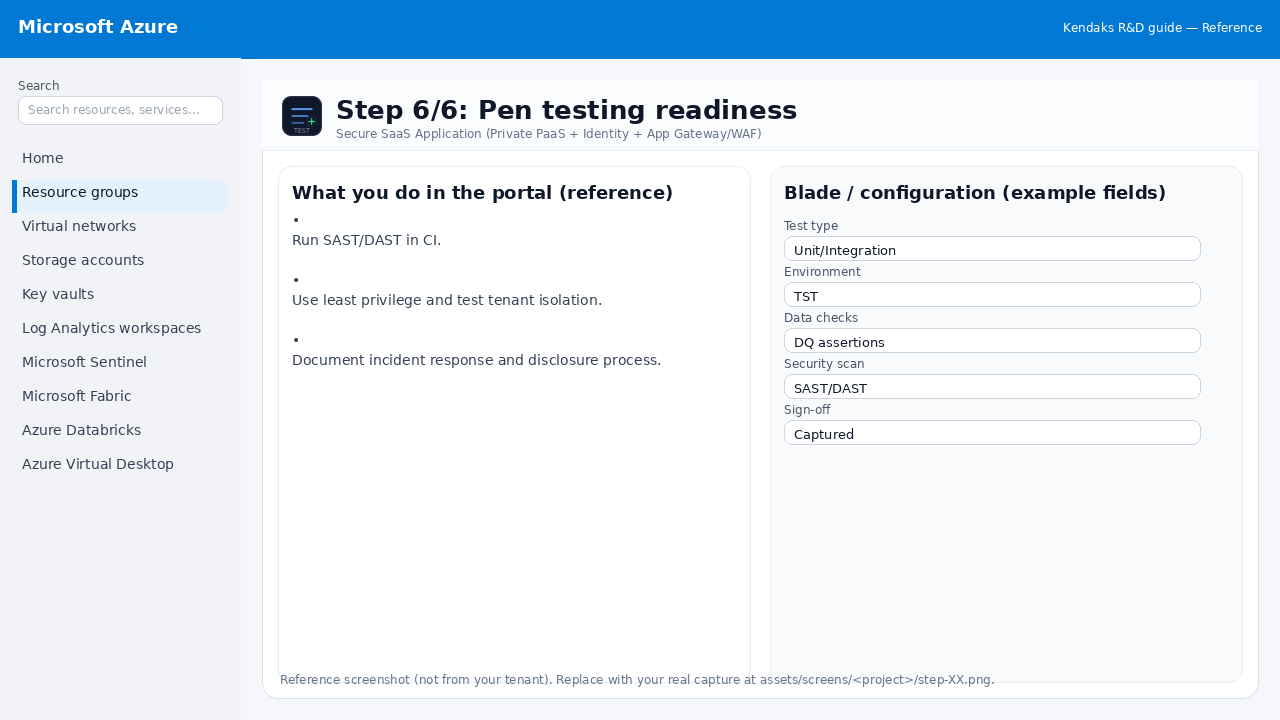
Reference screenshot for Secure SaaS Application (Private PaaS + Identity + App Gateway/WAF) step 6
Reference portal screenshot (click to zoom). Replace with your tenant capture if needed.
  • Run SAST/DAST in CI.
  • Use least privilege and test tenant isolation.
  • Document incident response and disclosure process.
Validation checklist
  • UAT completed with representative users and scenarios.
  • Performance meets baseline; issues tracked and remediated.
Zoomed screenshot

Video tutorials

References