Kendaks R&D guide

Hybrid Cloud & On-Prem Integration (Azure Arc + ExpressRoute/VPN)

Category: Hybrid

Scenario: An enterprise must manage servers on-prem and in cloud with consistent governance. Example: 'Kendaks Hybrid' uses Arc to apply policy, patching, and monitoring.

Architecture diagram

High-level view of the main components and data/control flows.

Architecture diagram

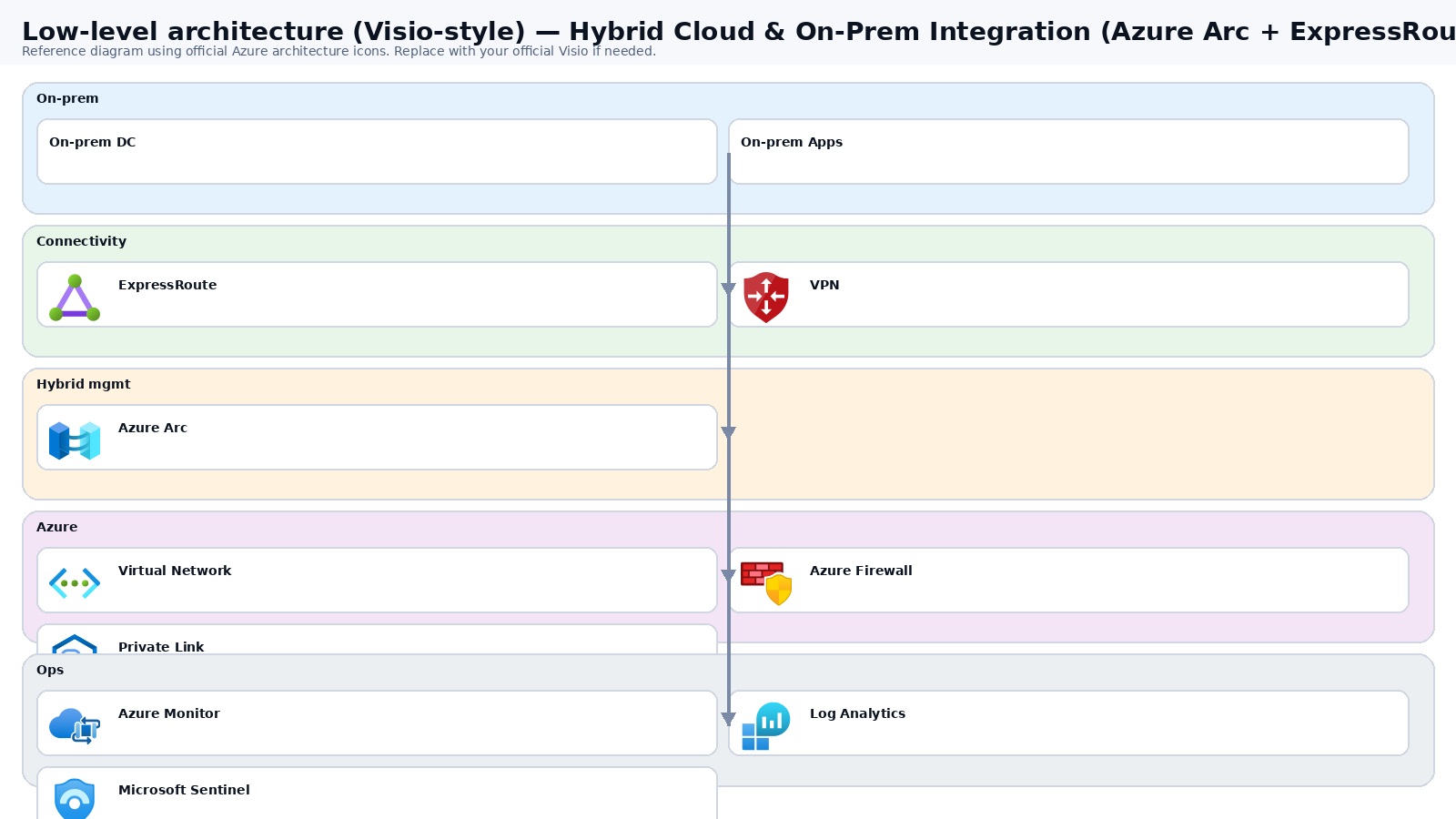
Low-level architecture diagram (Visio-style)

Implementation view (networking, security, ops). Click to open full size.

Low-level architecture diagram

Low-level architecture details

(No low-level text provided.)

Step-by-step implementation

Step 1/6
Plan

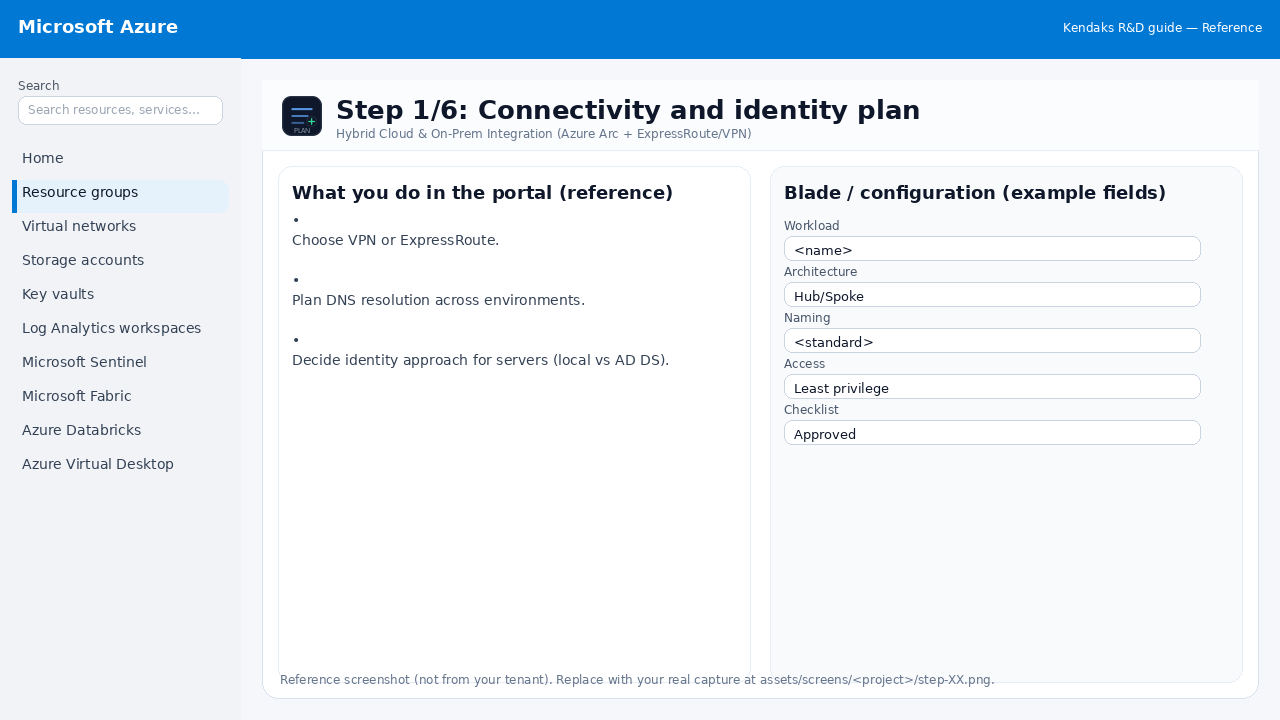
Connectivity and identity plan

Reference screenshot for Hybrid Cloud & On-Prem Integration (Azure Arc + ExpressRoute/VPN) step 1
Reference portal screenshot (click to zoom). Replace with your tenant capture if needed.
  • Choose VPN or ExpressRoute.
  • Plan DNS resolution across environments.
  • Decide identity approach for servers (local vs AD DS).
Validation checklist
  • Stakeholders have signed off the scope, SLAs, and data/security requirements.
  • You have documented naming standards, environments, and ownership (RACI).
Zoomed screenshot
Step 2/6
Network

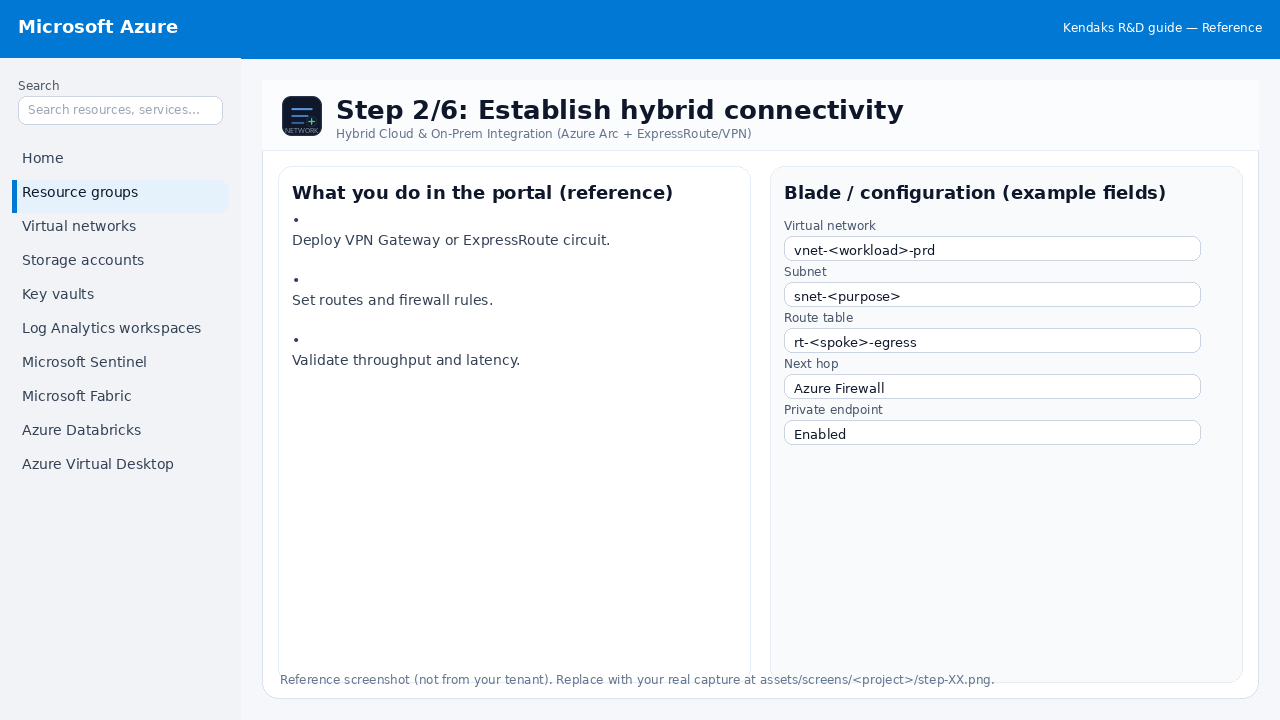
Establish hybrid connectivity

Reference screenshot for Hybrid Cloud & On-Prem Integration (Azure Arc + ExpressRoute/VPN) step 2
Reference portal screenshot (click to zoom). Replace with your tenant capture if needed.
  • Deploy VPN Gateway or ExpressRoute circuit.
  • Set routes and firewall rules.
  • Validate throughput and latency.
Validation checklist
  • The target VNet/subnets/peerings/UDRs/NSGs are deployed with no errors.
  • Connectivity test passes (e.g., Network Watcher connection troubleshoot / ping between subnets where allowed).
  • Egress is controlled (traffic observed in Firewall logs if applicable).
Zoomed screenshot
Step 3/6
Deploy

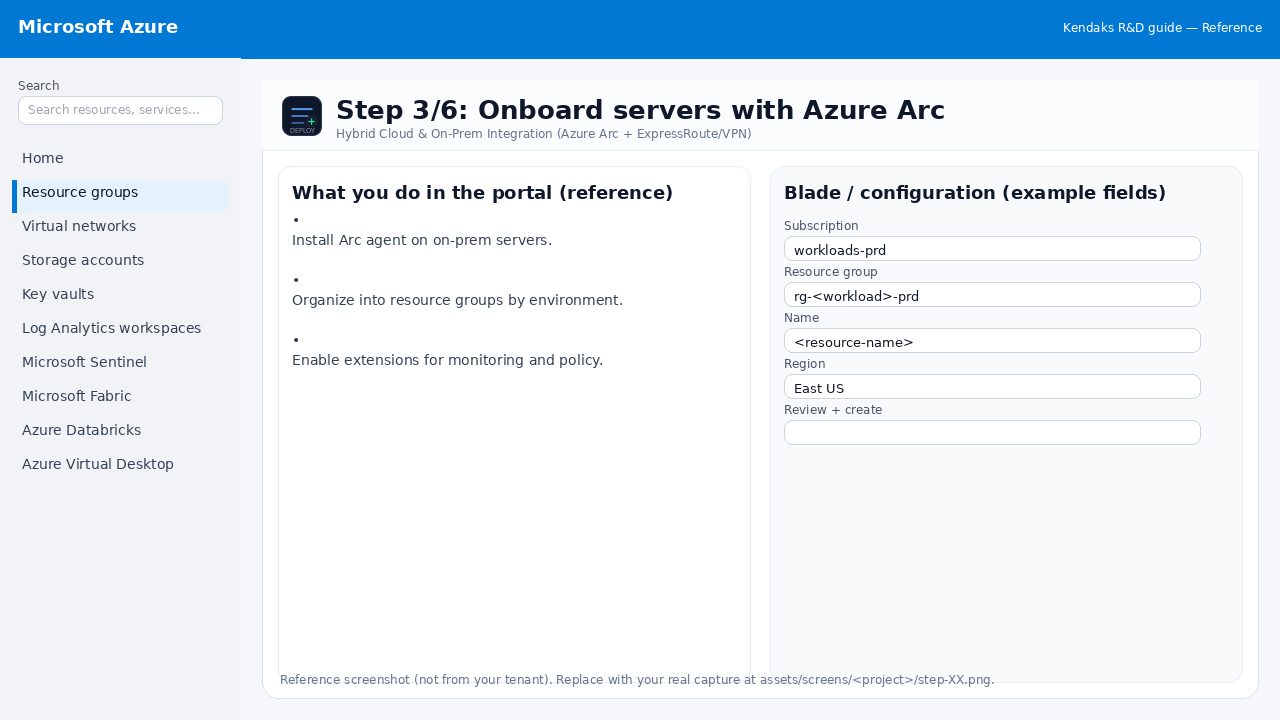
Onboard servers with Azure Arc

Reference screenshot for Hybrid Cloud & On-Prem Integration (Azure Arc + ExpressRoute/VPN) step 3
Reference portal screenshot (click to zoom). Replace with your tenant capture if needed.
  • Install Arc agent on on-prem servers.
  • Organize into resource groups by environment.
  • Enable extensions for monitoring and policy.
Validation checklist
  • Deployment completed; smoke tests passed; rollback plan confirmed.
Zoomed screenshot
Step 4/6
Govern

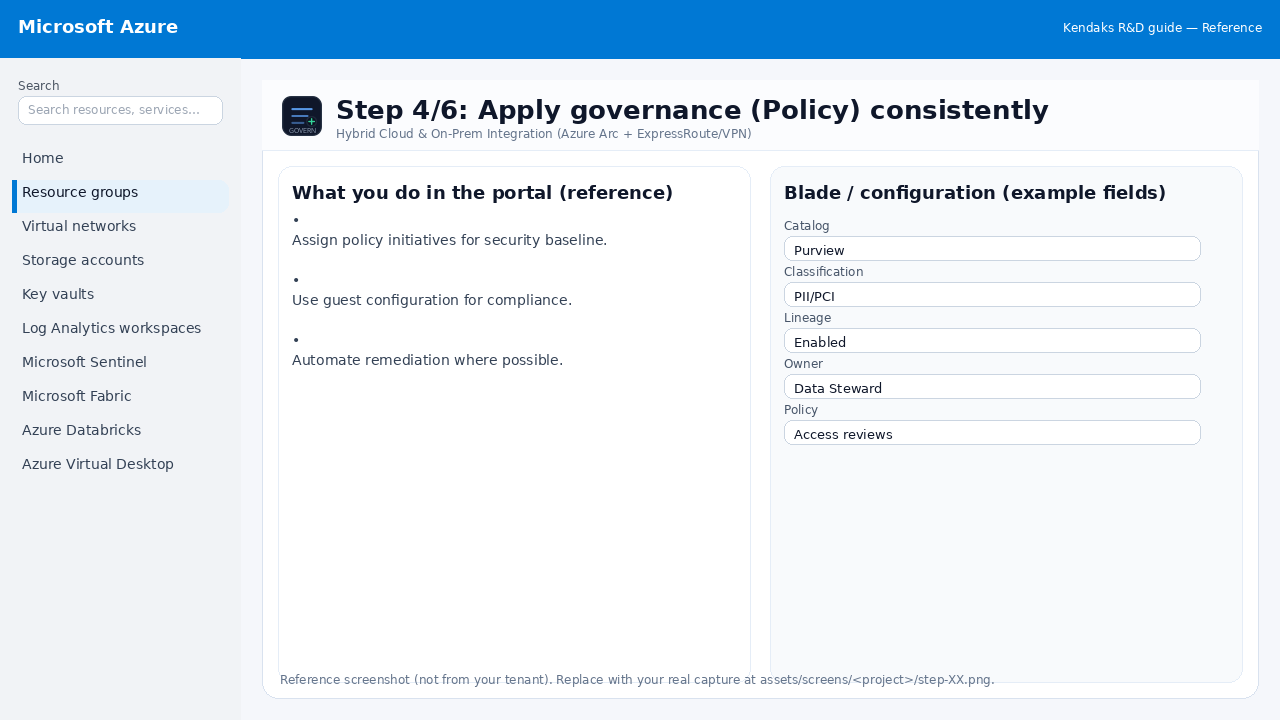
Apply governance (Policy) consistently

Reference screenshot for Hybrid Cloud & On-Prem Integration (Azure Arc + ExpressRoute/VPN) step 4
Reference portal screenshot (click to zoom). Replace with your tenant capture if needed.
  • Assign policy initiatives for security baseline.
  • Use guest configuration for compliance.
  • Automate remediation where possible.
Validation checklist
  • RBAC/roles are assigned to Entra groups (no direct user assignments).
  • Policies/labels/lineage settings are enabled as required.
  • Audit logs are enabled and flowing to the central workspace/SIEM.
Zoomed screenshot
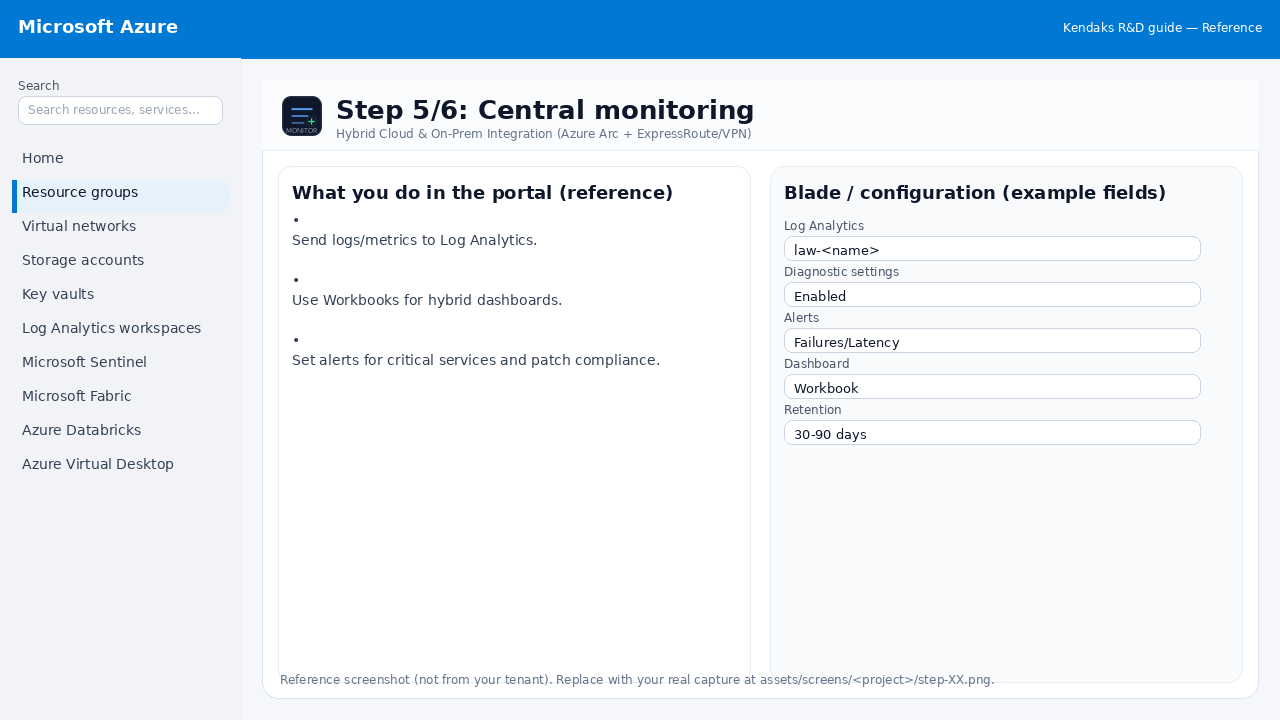
Step 5/6
Monitor

Central monitoring

Reference screenshot for Hybrid Cloud & On-Prem Integration (Azure Arc + ExpressRoute/VPN) step 5
Reference portal screenshot (click to zoom). Replace with your tenant capture if needed.
  • Send logs/metrics to Log Analytics.
  • Use Workbooks for hybrid dashboards.
  • Set alerts for critical services and patch compliance.
Validation checklist
  • Logs and metrics are flowing (check Log Analytics / Monitor).
  • Alerts trigger correctly (test alert path to email/Teams/ITSM).
Zoomed screenshot
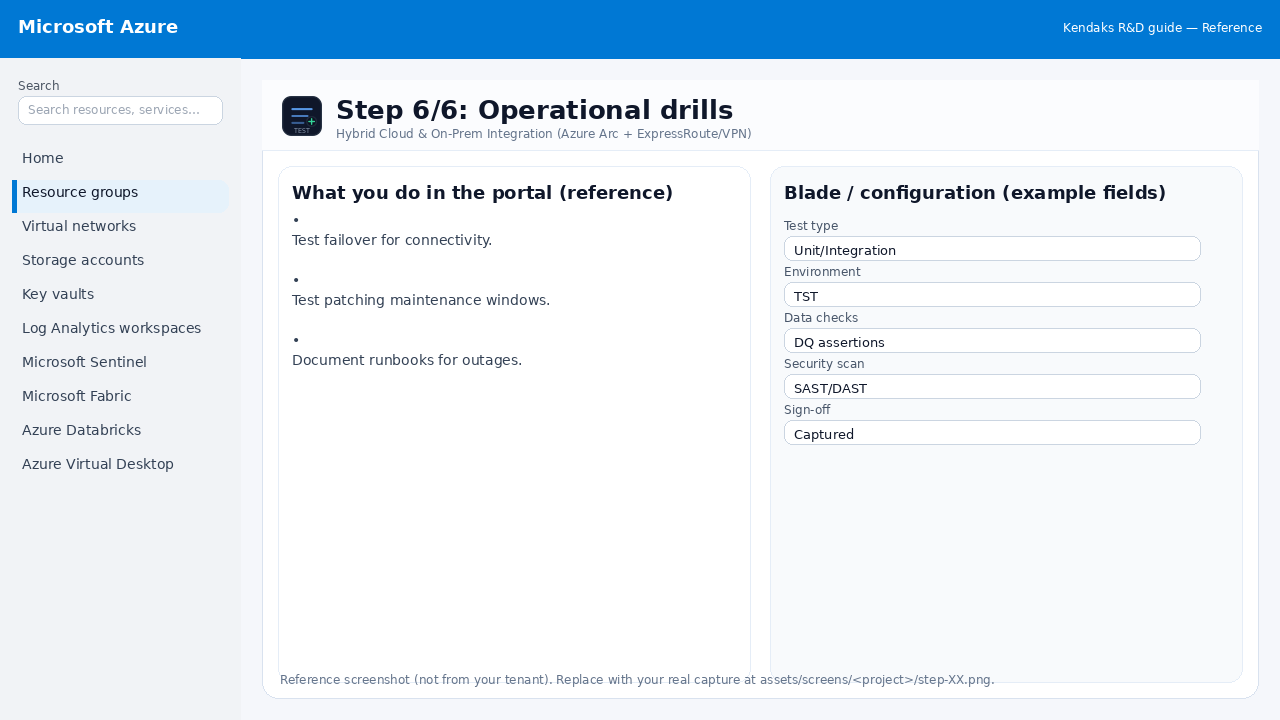
Step 6/6
Test

Operational drills

Reference screenshot for Hybrid Cloud & On-Prem Integration (Azure Arc + ExpressRoute/VPN) step 6
Reference portal screenshot (click to zoom). Replace with your tenant capture if needed.
  • Test failover for connectivity.
  • Test patching maintenance windows.
  • Document runbooks for outages.
Validation checklist
  • UAT completed with representative users and scenarios.
  • Performance meets baseline; issues tracked and remediated.
Zoomed screenshot

Video tutorials

References